

Contents
- Typeform Alternatives: The Reasons behind the Necessity
- Best Typeform Alternatives - Our Favorite Picks
- What to Look for in a Typeform Alternative?
- It's Over to You
3 Best Typeform Alternatives to Create Online Forms
Typeform has been a name of trust and reliability in the realm of online form builders since 2012. However, it’s cleaner interface and limited design freedom can often bore users and make them seek TypeForm alternatives.
If you are someone who is tired of the same old interface and seeking a fresh, innovative alternative to Typeform that offers even more flexibility, creativity, and functionality with less cost, then our today’s article is certainly going to help you.
In this article, we will explore some of the best Typeform alternatives available today. So, without further ado, let’s jump straight into the juicy part.
Typeform Alternatives: The Reasons behind the Necessity
While Typeform is a popular platform for creating engaging and visually appealing forms, it may not be the ideal choice for all business needs. Therefore, it is essential to explore alternative options. Here are several reasons why you might consider exploring alternative options.
1. Typeform is expensive
When it comes to online form builders, Typeform is undeniably one of the best players in the industry. However, it is no doubt that its pricing can raise some eyebrows. While the basic plan may be affordable for small businesses or individuals, scaling up with more advanced features quickly becomes costly.
For many users on a tight budget, this expense may seem prohibitive in comparison to other options available in the market. And, it ultimately leads users to look for alternative options.
2. Limited customization options
While Typeform offers a user-friendly platform for creating sleek and interactive forms, one notable drawback is its limited customization options. Users often find themselves constrained by the platform’s design restrictions, making it challenging to create truly unique and personalized forms.
The absence of advanced customization features can frustrate those seeking to align their form designs with their brand aesthetic or specific design requirements.
3. Missing partial submission capture
Typeform usually records responses only when the form is submitted. That means if users drop-off in the middle of submission, you get no data stored which can cause valuable lead loss. Many users seek solutions that’ll capture partial data and give you a glimpse of users who would complete the form, unless got distracted by something.
4. Response limits even on paid plans
Even the paid tiers of TypeForms have some strict caps. According to their latest pricing plan, despite spending more than $100 on a basic plan, users can access only 100 responses at most per month. This is highly frustrating for many users and paying extra to accept new responses can make them determined to seek alternatives.
We handpicked a number of viable TypeForm Alternatives in this article that you can consider for building forms while not breaking your bank. Plus, the freedom of access to your data is crucial that these tools can guarantee. Below are the top 3 TypeForm alternatives to consider in 2026.
Best Typeform Alternatives – Our Favorite Picks
There are many great Typeform alternatives, depending on your specific needs and budget. Here are a few of the most popular options for WordPress and other platforms too.
#1 – FormGent – Most Affordable Typeform Alternative

FormGent is a WordPress form builder plugin built to remove the barriers most users face when creating forms. Unlike other form plugins that demands a steep learning curve while building complex and long forms, FormGent makes is easy with native builder based creation and drag-and-drop interface.
Most importantly, it is not locking advanced options behind expensive upgrades. FormGent gives common premium features on free plan and some highly important features in the premium plan. The purpose is helping individuals, startups, and businesses build powerful forms without worrying about costs.
With FormGent, building forms become simple and fast. Its AI-powered form generator goes a step further – just type what kind of form you need, and FormGent creates it instantly. Whether it’s a contact form, survey, registration form, or payment form, you can have it ready in minutes.
But simplicity doesn’t mean limitations. FormGent includes conditional logic, multi-step forms, file uploads, payment fields, and numerous integrations – all at no cost. You can create unlimited forms, collect unlimited submissions, and connect them to tools you already use.
The clear contrast between TypeForm and FormGent is; FormGent doesn’t restrict responses in any of it’s tiers. You can access all your data from your WordPress dashboard with full liberty. Plus FormGent Free plan is essentially a viable alternative to TypeForm’s pro starters that you can get for Free.
FormGent isn’t just another online form builder. It’s the best online form builder for anyone who wants simple and affordable forms and access their data without limitations.
Key Features of FormGent

- One plugin for building all form types – classic, multi-step form, conversational form, quiz, payment form, donation form, survey, feedback, job application etc.
- Smart conditional logic, file uploads, input masking, rating scale, digital signature and more.
- Advanced integrations such as Zapier, ZohoCRM, Google Sheet, Mailchimp and more.
- Built-in Template Library for quick customization
- AI-powered form creation with simple prompt
- Instant Form Launching – via URL, Shortcodes or iFrame embed on Non-WordPress sites
- Use Webhooks to link any API and automate workflow
- Advanced analytical dashboard, tabular response data with visual charts.
- User CPT Submission.
- Advanced Security – reCAPTCHA, hCAPTCHA, Cloudflare Turnstile.
- Integrates with Google Maps for precise location input collection.
- Save partial data even when users drop-off or abandon your form prior to submission.
FormGent vs TypeForm – The Key Differences
TypeForm is a superior online form builder solution – for enterprises. They can access to all it’s pro features and use with large response limits. However, for small and medium users, it’s prices are a deal breaker.
On the other hand, FormGent is the best TypeForm alternative you can think of when it comes to pricing. For starter, FormGent is Free of cost compared to TypeForm which requires a pro subsciption from the start. In premium plan, FormGent starts with only $44/year compared to TypeForms $132/year starter that comes with many limitations. FormGent’s affordable pricing plans are available here for your clarification.

Next, the customization capabilities of FormGent is out of the box. You can modify design of your fields with custom CSS, set background of forms with colors or your preferred media, set logo on form header and preview with URL. You can launch your forms with iFrame embed on non-WordPress sites by adjusting position.
When it comes to lead collection, FormGent collects partial submission which saves businesses in many ways. Even when users drop-off, they get partial data that they can use as leads for remarketing. It reduces advertising budget, something TypeForm cannot offer.
Overall, FormGent stays ahead of TypeForm when it comes to small and medium users with limited budget looking to make the best out of it.
#2 – Jotform – Personalized Form Builder

Jotform is another powerful alternative of Typeform. The tool is designed for cloud-based users for data collection and WordPress users can also embed their Jotform forms by copying and pasting a code snippet. What makes it a viable alternative of TypeForm is the personalized form library that suits all use cases.
Many may argue that JotForm is no less expensive that TypeForm which is undeniably true. However, it;s very easy to use and customizable that reduces one key limitation of TypeForm. An intuitive drag-and-drop builder interface, a diverse selection of question types, and logical conditioning provide a personalized touch your forms. That is really the key aspect of Jotform.
Key Features of JotForm

- A vast library of templates to choose from and quick customization available for all users.
- Comes with a handful of AI agents to take care of your post submission tasks.
- Integrates with 100+ popular applications like CRM, workflow automation tools, email marketing tools, payment gateways and storage platforms.
- Jotform comes with all essential form fields you need to design a powerful and highly functional form.
- Highly responsive forms on mobile devices with dedicated mobile app.
- SSL protection to prevent spam responses and data leakage
- HIPAA Compliance for the healthcare sector or any organization dealing with sensitive data
JotForm vs TypeForm – The Key Differences

Starting with price which is a difficult aspect. JotForm is a highly expensive solution but one core difference is, it has a free plan. Many users can test it before buying which TypeForm doesn’t allow. The pro plans of both solutions are designed for heavy users as basic and standard plans limit number of form creations and responses. However JotForm offers more submission limits on starter plan.
In terms of customization, JotForm offers way too many configuration options so that users can personalize their forms for their customers. TypeForm has relatively less options which is a drawback. However, when it comes to user experience, TypeForm offers cleaner UX which might be a preference of many users.
Last but not the least, JotForm keeps incomplete submissions but it’s conditional. JotForm has an option within it’s platform called Save and Complete Later which works only when customer select it. So when customers select the option, users see their partial submissions marked as incomplete. Customer also get a link to resume submissions later. This is another significant addition to JotForms features keeping it ahead of TypeForm.
Overall, JotForm is a great TypeForm alternative but not the most affordable one for sure. You’ll need a big budget if you want to replace TypeForm with JotForm.
Read More: 3 Best Jotform Alternatives
#3 Bit Form – Affordable Lightweight TypeForm Alternative
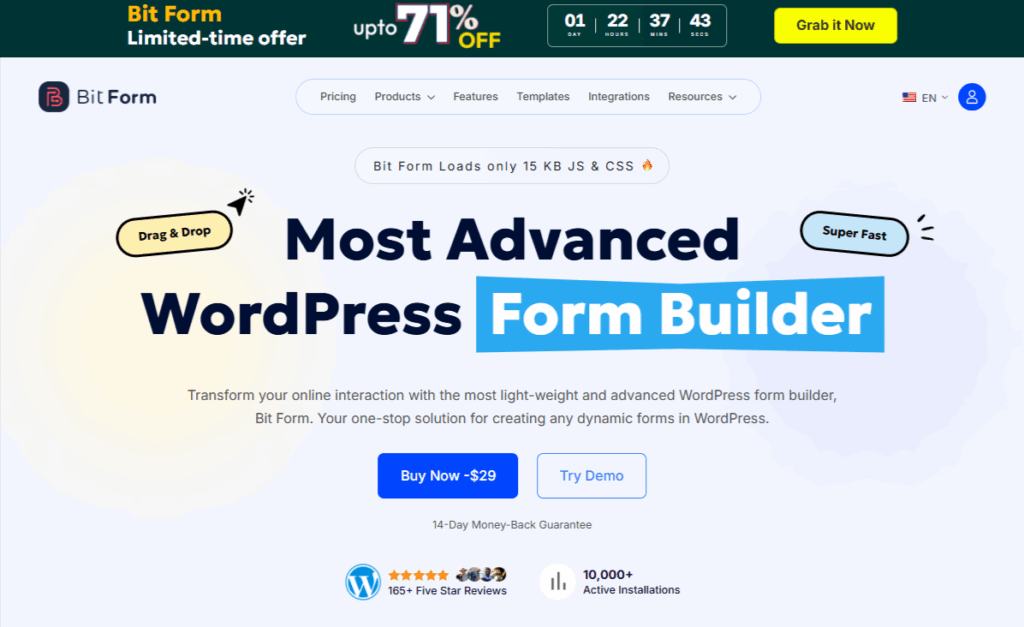
Bit Form is a modern and flexible WordPress form builder designed to make form creation simple for website owners, freelancers, businesses, and developers who want to create forms easily without coding. If you need contact forms, booking forms, payment forms, or lead capture forms, Bit Form is a great choice.
Bit Form helps you build and publish forms in minutes using a simple drag and drop builder. The plugin is also lightweight, loading only 15 KB of JS and CSS, so your website stays fast and smooth. It’s another viable alternative to TypeForm because it’s affordable, beginner-friendly, fast, and flexible.
It connects with 50+ tools like Google Sheets, Mailchimp, and HubSpot, allowing automatic data syncing and workflow automation. Unlike many online form builders, Bit Form focuses on speed, simplicity, and powerful built-in features without heavy scripts. It gives you more control, better performance, and smooth integrations in one package.
Key Features of Bit Form

- Drag and drop form builder
- 50+ ready-to-use form fields
- Multi-step forms
- Conditional logic
- Advanced calculations
- Payment integration (Stripe, PayPal, Mollie, Razorpay)
- File upload and advanced file upload
- Digital signature field
- Conversational forms
- Custom style editor
- Form analytics and reports
- Partial submission save
- Spam protection (reCAPTCHA & Cloudflare Turnstile)
- 50+ integrations
- Frontend view and edit
- Form to PDF
- Built-in SMTP
Bit Form vs Typeform – The Key Differences

Simply put; pricing. Bit Form is super affordable with only $29 per year single site license. It’s a very highly functional offer if you want to work within WordPress and manage all your tasks inside it. Plus, you can customize to your need and design using built-in templates and save partial submissions in Bit Form that TypeForm users may lack.
What to Look for in a Typeform Alternative?
Finding the right Typeform alternative can be crucial, especially if you’re looking for more features, better value, or specific functionalities. Here are some key things to consider:
1. Features
- Variety and type of question formats: Does it offer the specific question types you need (e.g., multiple choice, open-ended, ranking, file uploads)? Does it offer advanced features like branching logic, skip logic, and calculations?
- Design and customization: Can you build visually appealing forms and surveys with your branding and colors? Does it offer pre-built templates to save time?
- Ease of use: Is the interface intuitive and drag-and-drop friendly? Can non-technical users create and manage forms easily?
- Integrations: Does it integrate with your existing tools and CRM platforms?
If the answer to all these questions is yes, you can move forward.
2. Value and pricing
- Free Plan/Trial: Does the tool offer a free plan or at least a trial to test out?
- Free features: Does the free plan or trial offer enough functionalities for your basic needs?
- Pro plan options: Compare different pricing tiers and find one that aligns with your budget and usage. Are any of these plans suitable for your need and budget?
- Add-ons Required: Does the subscription require add-ons to access more essential functionalities?
Make educated decisions by getting answers to all these questions. Transactional decisions should be taken with caution.
3. Other considerations
- Target Platform: Is the platform compatible with your existing setup?
- Mobile-friendliness: Are your forms optimized for mobile devices?
- Security and privacy: Does the platform have strong security measures to protect your data?
- Customer support: Is there readily available and helpful customer support available?
Last but not the lease important, these answers should met with your exceptions before making a final decision.
It’s Over to You
These are some of the best Typeform alternatives we discussed above. Plus there are many more available in the market that cater to different needs and budgets. From robust survey tools to simple form builders, businesses have a wide range of options to choose from.
Each alternative offers unique features and benefits, allowing users to find the best fit for their specific requirements. It is important for organizations to evaluate their needs and conduct thorough research before making a decision.
By exploring the various alternatives, businesses can find a solution that enhances their data collection processes and improves user engagement. So, take the time to explore these alternatives and find the one that aligns with your organization’s goals and objectives.



Leave a Reply
You must be logged in to post a comment.