
WordPress Helpdesk Plugins That Actually Stand Out
For over a decade, we’ve been building and marketing WordPress plugins. That means we’re also running our own support desk, every day, at real volume, for real users. So this isn’t a list built from feature comparison charts. It’s built from what we’ve actually run into.
Here’s the problem we kept hitting, and it isn’t the one most “best helpdesk plugin” articles talk about. It’s rarely a lack of features. Open the settings page of almost any helpdesk plugin and you’ll find a long list of them. The actual problem is resource management.
Most of these tools assume someone is available in real time. Live chat only works if an agent is watching it, which means either your team covers it round the clock, or you accept gaps, or you hire more people to close those gaps. For a small team, that last option usually isn’t financially realistic. So a lot of businesses opt out of live tools and go with conventional ticketing instead. That solves the presence problem, but a different one shows up in its place. Customers with a genuinely technical issue, a broken feature, a confusing setup step, a bug that’s hard to describe, end up stuck writing long emails back and forth, when what they actually need is to show you the screen or explain it out loud. Traditional ticketing wasn’t built for that.
We built HelpGent to close both gaps at once. The name invites an obvious assumption, that it’s just another “help agent,” a helpdesk plugin with a different label. It isn’t. HelpGent is a conversational form that carries a full, two-way conversation without requiring both sides to be online at the same time. No live agent required, and no long email thread required either.
While putting this list together, we also looked closely at what else is out there, because HelpGent solving our specific problem doesn’t mean it’s the only tool worth knowing about. Several plugins genuinely stand out, each for a different reason, and it would do you a disservice to pretend otherwise. A number of them now lean on AI to cut down the manual reply work, which matters more this year than it did two years ago. So this is that list: what a helpdesk plugin actually is, what it needs to do at minimum, and which ones are worth your attention in 2026, and why.
What Is a WordPress Helpdesk Plugin?
A WordPress helpdesk plugin turns scattered customer messages, emails, contact form submissions, chat requests, into tracked, assignable conversations your team can manage from inside (or alongside) your WordPress site, instead of a shared inbox nobody fully owns.
What a WordPress Helpdesk Plugin Must Actually Deliver
We’re skipping the usual feature checklist here on purpose, because two tools can hit the same outcome through completely different mechanisms, one through ticket assignment, another through a recorded video that answers the question before it’s asked. What matters is whether the outcome actually happens:
- Nothing falls through the cracks. Every message has a clear owner and a status, so a Saturday request isn’t still sitting untouched on Wednesday.
- Repeat questions don’t cost repeat effort. The fifth person asking the same thing shouldn’t cost your team the same five minutes it cost the first time.
- Technical issues get resolved without a long email chain. When something is hard to describe in text, the tool should let a customer show it or your team explain it, not just write past each other.
- Easy questions answer themselves. A self-service layer should catch the questions that don’t need a human at all.
- You can see where the backlog is building. Volume and response time should be visible, not just felt.
- Customer or order context sits next to the conversation. Agents shouldn’t have to leave the tool to find out what someone actually bought or asked before.
No plugin on this list clears all six. Here’s how each one actually holds up, including where it doesn’t.
WordPress Helpdesk Plugins That Stand Out in 2026
These made the list because each one solves a real version of the resource problem above, not because it has the longest feature list.
1. ThriveDesk
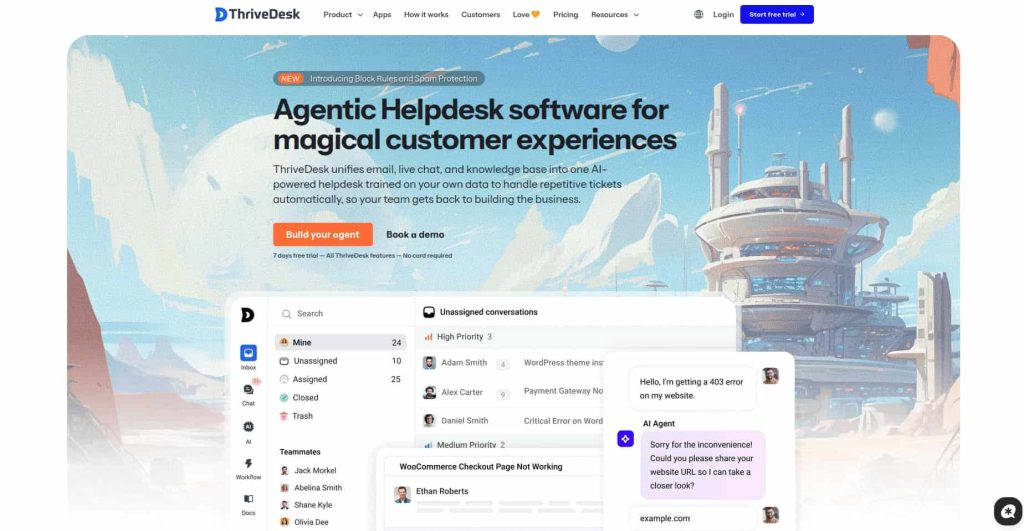
ThriveDesk is a straightforward WordPress helpdesk that puts everything in one package. A shared inbox, live chat, and a public help center sit in a single dashboard, so a small team can handle support without jumping between tools. Chat and tickets live in the same place, which means a conversation that starts in the chat window doesn’t get lost when it needs a follow-up.
Feature set: shared inbox with live chat, a public help center for FAQs, shipping rules, or booking policies, automation for repetitive replies, integrations with WooCommerce, SureCart, and FluentCRM, and a view of what a visitor is doing on your site while you chat with them.
Outcome fit: strong on order context, which is the outcome most plugins on this list miss. Because it connects to WooCommerce, SureCart, and FluentCRM and shows what the visitor is doing during a chat, an agent sees who they’re talking to without opening another tab. The help center answers easy questions before they reach an agent, and automation cuts the retyping on repeat replies. Both come with the Standard plan, not the cheapest one. The trade-off is the one this article opened with: live chat only helps when someone is watching it, so a team that can’t cover round-the-clock hours still has gaps in what chat can do. Nothing in its feature set covers recorded video or screen sharing, so a hard-to-describe technical issue still turns into text back and forth. There’s also no free plan, only a 7-day trial, and no real mobile app yet, so answering on the go means a browser.
Pricing: Basic $29/month (2 teammates), Standard $69/month (adds the help center and automation), Unlimited $129/month (no teammate limit).
2. NiroHelp
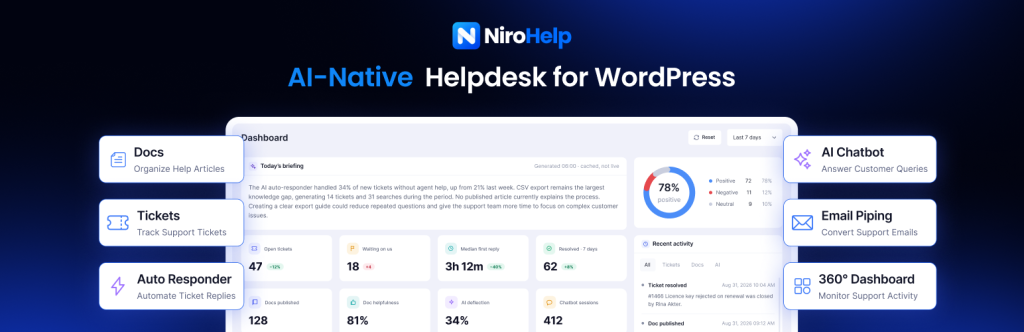
NiroHelp is an AI-native WordPress helpdesk built to answer support tickets automatically using your own documentation. Knowledge base, ticket management, and an AI chatbot all live in one plugin, and its AI Copilot plus an AI auto-responder handle repetitive tickets before an agent has to touch them, a direct answer to the same “same question, over and over” cost this whole article is about, solved through a documentation-trained AI instead of a recorded video.
Feature set: a searchable knowledge base with article voting, automated ticket assignment, an analytics dashboard, an AI chatbot trained on your docs, custom ticket fields, flexible workflows, and email piping that turns support emails into trackable tickets on its own. Existing support content can be migrated in rather than rebuilt from scratch.
Outcome fit: strong across most of the list. Automated assignment means nothing sits unowned, the AI auto-responder cuts repeat-question effort, the knowledge base catches easy questions before they’re tickets, and the analytics dashboard gives you backlog visibility. It doesn’t show store or order context inline either, and its AI answers from documentation, so a problem that’s genuinely hard to describe in text still lands as a text ticket, it can’t take a screen recording or a spoken explanation the way a video-first tool can. Deeper AI features are also paid-plan only, and it doesn’t yet offer omnichannel support (WhatsApp, social, and similar).
Pricing: free plan with no time limit (300 AI credits included); paid plans start at $79/year for 1 site, Growth $239/year (5 sites), Agency $399/year (10 sites), each with a 30-day money-back guarantee.
3. HelpGent

HelpGent is a conversational form builder, not a ticket queue. Its Video Funnels let you guide a visitor through a form using your own recorded video or voice at each step, so a returns policy or a “how this works” explanation gets shown once and reused forever, instead of retyped. Visitors can also reply with video, voice, or text directly in the browser, no account needed, and the conversation stays two-way in the same thread. That combination, guided steps plus an open reply channel, is what lets a technical support conversation happen without either side needing to be live at the same time, and without turning into a five-email back-and-forth.
Outcome fit: strong on repeat-question effort and on resolving technical issues without an email chain, since the video reply is the whole point. Weak on the other four. There’s no multi-agent assignment, no backlog reporting, no self-service knowledge base, and no store or order context surfaced next to the conversation the way ThriveDesk or Awesome Support show it. If your support load is genuinely about repeat, explainable questions, that trade is worth it. If you need agent routing, SLAs, or order history on-screen, it isn’t there yet.
Pricing: free version on WordPress.org (Video Funnels, conditional logic, open-ended recorded answers included); paid plans use per-site pricing rather than per-agent. [Exact paid tiers weren’t confirmed for this draft, confirm before publishing.]
4. Fluent Support
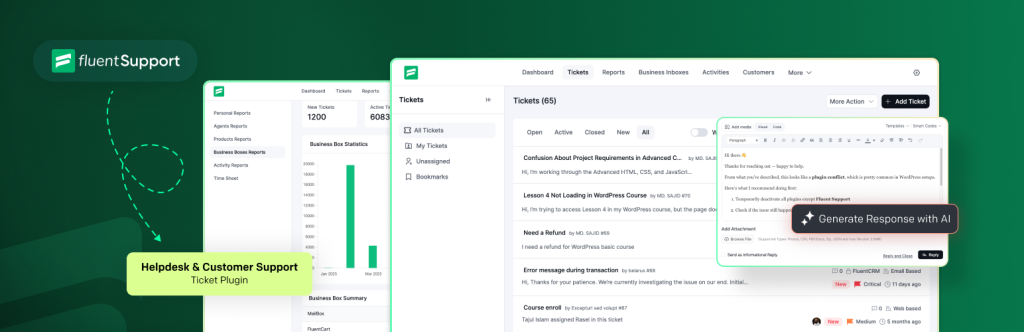
Fluent Support charges per site instead of per agent, and its AI-assisted reply suggestions cut down how long it takes an agent to draft a response, without requiring anyone to be watching a live chat window. Customers get a self-service portal showing their ticket history, which quietly reduces “what’s the status of my request” messages on its own.
Outcome fit: good on assignment (nothing sits unowned) and on repeat-question effort, thanks to saved replies and AI-assisted drafting. The customer portal reduces “what’s the status” messages, which is a quiet win for backlog visibility. It doesn’t solve the technical-issue-without-an-email-chain problem, there’s no way to record or receive video, and there’s no live chat if a customer wants to talk something through in real time.
Pricing: Single Site $129/year, Agency (5 sites) $249/year, 50-site license $399/year.
5. SupportCandy
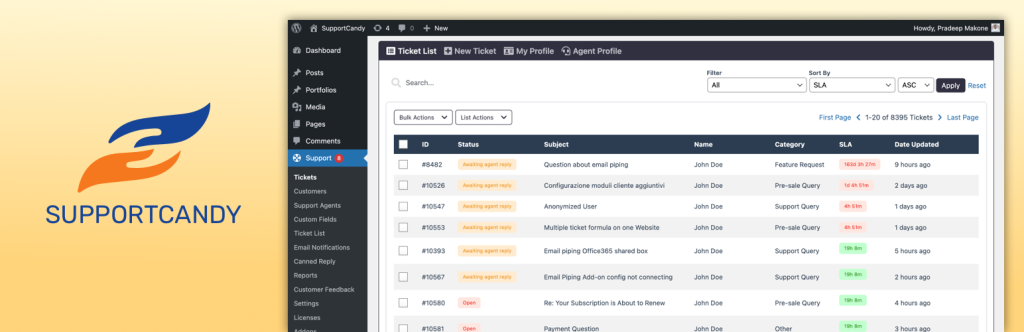
SupportCandy’s free version isn’t a stripped demo. Agents, ticket statuses, and custom fields all work without paying anything, which ties directly back to the resource problem this article opens with: if the round-the-clock staffing math doesn’t work and every paid seat matters, a genuinely usable free tool changes what’s actually feasible rather than just being a cheaper checkbox on a pricing page. A customer-facing portal is included too, so people can check their own ticket status instead of emailing to ask.
Outcome fit: decent on assignment, tickets have owners and statuses from day one, and it’s honest about backlog (you can see open tickets, even without a dedicated analytics dashboard). It doesn’t move the needle on repeat-question effort, there’s no AI and no saved-reply automation in the free tier, and email piping and workflow automation are paid-only. No live chat, no video or screen recording, and no store or order context inline. Its case for standing out is entirely about resource feasibility, not capability: a small team that can’t justify a monthly tool bill yet gets real ticket tracking for nothing.
Pricing: free core plugin; Personal $79/year (1 site), Professional $149/year (5 sites), Agency $299/year (20 sites).
6. Awesome Support
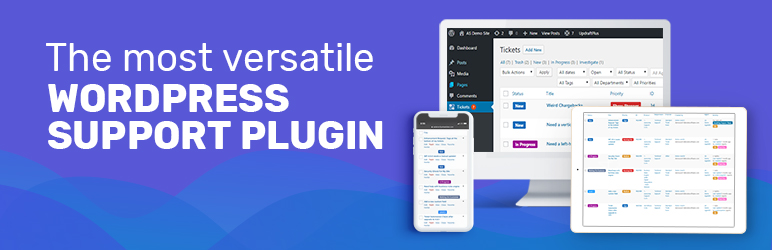
Awesome Support’s core plugin is free and unlimited on agents and tickets, and its Google Dialogflow add-on brings AI-driven chat into the mix if you want it, without forcing it on you. The à la carte model means you only pay for the specific pieces (SLAs, CSAT, custom fields) your team actually needs.
Outcome fit: its WooCommerce and Easy Digital Downloads sync is the one thing on this list that actually clears the order-context outcome, purchase details show up right next to the ticket. It’s still fundamentally ticket-and-email based, though, so the “share a screen recording instead of writing three paragraphs” problem isn’t solved here, and add-on costs add up if you need several.
Pricing: free core plugin; individual add-ons from $29; bundles $149–$409/year.
A note on the rest of the field: Heroic Inbox is a solid, well-built plugin for teams that already run support from Gmail or Outlook, and worth using if that’s genuinely all you need. It’s left off this particular list because it doesn’t clear enough of the six outcomes above to stand out from the pack the way the six picks here do.
Why It’s Important to Choose the Right WordPress Helpdesk Plugin
This isn’t a decision to make on price or convenience alone. The tool you pick shapes what happens after someone has already paid you, and that stage of the relationship carries more weight than most businesses give it credit for.
- It’s your reputation after the sale. Support is the part of the experience customers remember most clearly, more than the checkout flow or the onboarding email. A slow or confusing reply tells them something about the business, whether or not that’s fair.
- It decides whether a bad moment becomes a bad review. Most refund requests and public complaints trace back to a customer who couldn’t get a straight answer fast enough, not to the original problem itself.
- It shapes repeat business. A customer who gets a clear, low-effort resolution is more likely to buy again. One who has to fight for an answer usually doesn’t come back to find out if it’ll be different next time.
- It has to match what your team can actually sustain. The right plugin isn’t the one with the most features on the pricing page, it’s the one your team can keep up with every day, at your actual volume, without quietly falling behind.
Conclusion
Most helpdesk plugins compete on how many features they can list. The more useful question is which ones actually reduce the number of times a human has to answer the same thing, or sit by a chat window waiting for it to happen. ThriveDesk, NiroHelp, HelpGent, Fluent Support, SupportCandy, and Awesome Support each answer that question differently. Match the pick to the resource constraint you actually have, agent headcount, technical support volume, or budget, not the one you assume you have.
FAQ
Do I need live chat to run good WordPress support?
No. Live chat helps when your team can genuinely staff it, but it isn’t a requirement. Asynchronous tools, ticketing or conversational forms, can cover the same ground without requiring someone online in real time.
Can a WordPress helpdesk plugin handle screen recordings or video explanations?
Most traditional ticketing plugins can’t natively. HelpGent is built specifically around recorded video and voice as part of the conversation itself, which is the gap this article points to directly.
Are free WordPress helpdesk plugins reliable enough to use long-term?
Some are. SupportCandy and Awesome Support both offer genuinely usable free tiers, not stripped demos. Whether they’re “enough” depends on volume and whether you need automation, AI, or multi-agent SLAs, which are typically paid additions.
What’s the difference between a helpdesk plugin and a conversational form like HelpGent?
A helpdesk plugin organizes and assigns messages after they arrive. A conversational form like HelpGent shapes how the question gets asked and answered in the first place, often replacing several rounds of email with one recorded explanation and one recorded reply.



Leave a Reply
You must be logged in to post a comment.