

Contents
- Our Considerations for Ranking WPForms Alternatives
- Top 5 WPForms Alternatives for WordPress in 2025
- Which WPForms Alternative Should You Choose?
- Summing Up: WPForms vs. Alternatives
- Final Remarks
- FAQ - WPForms Alternatives for WordPress
- 1. Which WPForms alternative is best for lead generation forms?
- 2. Are there WPForms alternatives entirely free?
- 3. What key features should I look for in a free WPForms alternative?
- 4. Is FormGent more expensive than WPForms?
- 5. How can I learn more about FormGent?
- 6. Which of this WPForms alternatives is ideal for beginners?
6 Best Free WPForms Alternatives to Consider in 2025
WordPress is a fun ecosystem where you get premium tools with advanced features and their free alternatives with moderate features all under a single roof. In this ecosystem, probably most number of plugins are categorized as contact form plugin. This is why uses often get confused which one to use, should they pay or not etc.
WPForms is one of the most widely used form-building plugin on WordPress but it maintaining it can be very costly especially for small businesses. As they run on a budget, they do not require all the overwhelming features this contact form plugin offers. Hence, they seek WPforms alternatives on various online forums and social media communities.
If you are one of those audience, you are in luck today. We are going to explore 5 best Free WPForms alternatives based on a deep research of flexibility, feature coverage and limitations. While some of them are also available in premium plan, we aim to focus on their free plan depth to ensure that they are enough cover your basic premium needs.
If you are seeking both free and premium plan reviews of various WordPress form plugins, we will advise to read the following article.
Whether you need a simple drag-and-drop form builder, or a highly customizable plugin with robust features, there’s an option for everyone in the WordPress plugin repository. Our analysis is based on that collections and in-depth analysis of them. If you find any better free WPforms alternatives that we have missed, feel free to let us know.
So without further delay, let’s jump to the list of free form plugin on WordPress that you can use instead of WPforms.
Our Considerations for Ranking WPForms Alternatives
We have to research several WordPress form plugins, check their detailed features of free plan and what can they do be considered one of the WPforms alternatives. After eliminating many promising tools that could become the leading contact form plugin in the future, it came down to five that we picked at last.
We considered a number of factors when comparing those plugins. Here’s what we looked into that stood out in our top 5 list:
i. Ease of Use & User-Friendliness
WordPress makes techonology look easy. So should any WordPress form plugin. Whether it’s free or paid, the ease of use and user-friendliness is the first criteria.
ii. Features & Customization Options
We checked if these plugins allow
- Visual form creation with a drag-and-drop, no-coding builder.
- Available form fields. (on free plan)
- Customization options.
- Feature gap with the Pro plan (optional)
Only the WordPress form plugins that met these criteria stood out after serial elimination.
iii. Integration with Other Plugins & Tools
These plugins have to allow a minimum number of integrations in the free plan. Many highly useful and widely used plugins did not check this box.
iv. Community Feedback
See what the community is saying about the plugin. In a few cases, we went for a plugin that is not talked much but has the potential to create a big buzz in the future.
v. AI Adoption and Further Advancement
As a free form plugin, integrated AI might be limited but not rare. We found tools that has adopted AI and allows users to build their desired forms with just prompt in the free plan. We prioritized them for offering such an advanced feature in the free plan.
Based on our study of these 5 criteria, below are our top 5 free WPforms alternative that you can use to create stunning and highly customizable forms on WordPress.
Top 5 WPForms Alternatives for WordPress in 2025
These WPForms alternatives offer enhanced features on the free plan and more flexible pricing models in pro plan for users who need greater functionality than what WPForms provides. Our list of Top 5 are:
Please note: pricing may change anytime but our list is not based on that. We are focusing on the free feature comparisons and where these tools excel over WPforms.
So without further discussions, let’s jump to the details and what makes them better WPforms alternatives in the long run.
1. FormGent

FormGent is a newly launched WordPress plugin that has not gained many users so far. From the house of WpWax, this plugin hosts a number of unbelievable free features that typically you have to pay for. Why we ranked this #1 on our list?
It’s simply because, upon a depth comparison between various free form plugin, we found none matching the features it is offering on the free plan. The best part? You don’t even need a credit card trial or definite period of flexibility. FormGent is flexible from start and we plan to keep it this way forever. You don’t need to buy any add-ons or make any payment in order to avail the following exciting features.
Remarkable Free Features of FormGent
- Conversational Form: Conversational forms are game changer for modern businesses. FormGent offers creating unlimited conversational forms without any lock. Just install, activate and build smart forms.
- AI-Powered Form Creation: AI is the trend and almost all popular plugins are adopting it. FormGent not only added AI-powered form creation feature but also enabled it in a free form plugin plan.
- Conditional Logic: This is another killer features that may not stick inside many free WordPress form plugins. You can tailor your question flow, show or hide particular questions based on a response from the user to enhance form submission experience and increase completion rate, all in the free form plugin.
- Advanced Integrations: FormGent comes with numerous advanced integrations with popular business tools to automate and streamline workflow. You can execute automated email marketing, task scheduling, lead management using various integration options of FormGent.
- 20+ Form Fields, no Locks: None of it’s highly useful fields are locked behind paywalls forcing you to get a pro subscription. Is has all 20+ fields including file upload, digital signature, rating scale and page break all open for free users.
- Template Library: FormGent has a reusable template library making form building time-saving and effortless. Each of these templates are highly customizable to fit the need of various users.
- Advanced Security: Free users do not lack any security or protection from spam and bot attacks. Various CAPTCHA fields and honeypot protection is enabled in FormGent on both free and premium plans.
Comparison with WPforms Lite
WPforms lite free plan that is very limited in terms of fields, features, integrations and security. Let’s see a basic comparison of some of the most useful features and aspects of FormGent vs. WPforms Lite.
| Comparison Aspect | FormGent (Free) | WPforms Lite |
| Form Fields | All 30 | Limited Around 10 |
| Templates | All | Basic ones |
| Integrations | Zapier, Google Sheets, Zoho, MailChimp, Google Maps and more upcoming | None |
| Payment | PayPal, Stripe and more upcoming | None |
| Quiz, Polls and Calculations | Yes | No |
| Conditional Logic | Yes | No |
| Multi-step Forms / Page Break | Yes | No |
| Pro Upgrade | Starts from $39/year but not required | Starts from $49.50/year and required |
Why use FormGent over WPforms Lite?
- Free: The free plan comes with various pro features. No feature lock or deadline to worry about.
- Secure: FormGent guarantees you data protection with advanced security and integrations.
- Native: No need to learn new technologies. Even non-tech users can build forms on FormGent.
- Support: Pro user or not, FormGent always provide customer support to users regarding any issue.
2. Forminator

Forminator is an advanced and reliable form builder that can surpass WPforms lite features very well. This is not an entirely free plugin but it offers way too many features in the free plan. This plugin has more than 600K active installations and a stellar 4.8 out of 5 rating from close to two thousand users.
Forminator Forms enabled many advanced integrations on its’ free plan, making it one of the top contenders of free WPforms alternative. Plus, a wide range of form fields, security options has bolstered its’ profile with a massive user base strengthening the feedback loop for further improvement.
Remarkable Free Features of Forminator
- Drag-and-Drop Builder: Simplify form creation with an intuitive interface and drag and drop builder.
- Unlimited Forms: Forminator lets you create unlimited forms without any pro upgrade.
- Data Storage: Forminator stores submission data in the backend and lets users to export them without plan upgrade.
- Payment Integrations: Accept payments securely via PayPal and Stripe.
- Security: Free users data and forms are protected using various CAPTCHA and security features
- Customizable Design: Users can style their forms according to their custom branding needs.
Comparison with WPforms Lite
| Comparison Aspect | Forminator Forms | WPforms Lite |
| Form Fields | Basic and Advanced | Basic |
| Payments | Stripe, PayPal | No |
| Quiz and Polls | Yes | No |
| Calculation | Yes | No |
| Integrations | Many including Hubspot, MailChimp, Zapier etc. | No |
| Pro Upgrade | Starts from $18/year | Starts from $49.50/year |
Why use Forminator over WPforms Lite?
- Flexible: In terms of features, Forminator is more flexible on the free plan.
- Accessibility: Forminator shows responses and allows export on free plan unlike WPforms that only emails but does not allow access from backend.
- Affordability: When it comes to pro upgrade, Forminator is more affordable in various plans.
3. Bit Form

Bit Form is a versatile and lightweight WordPress form builder, making it a fantastic WPForms Lite alternative. With over 10,000 active installations and 5-star rating from 247 users, this plugin is trusted by many. It comes with a simple drag-and-drop interface that’s easy to use. You can quickly create basic contact forms, multi-step forms, and more without any hassle.
Bit Form is easy to use for anyone, whether you’re just starting out or you need more advanced features, and I especially like how you can connect your forms with 50+ platforms like Google Sheets, Mailchimp, and Webhooks in just a few clicks. There’s no need for third-party add-ons, which keeps everything clean and reliable, while letting you automate tasks and sync data smoothly without extra setup. Whether you’re running a small business or you’re a developer who wants more flexibility, Bit Form has you covered with powerful customization without the usual technical headaches.
Remarkable Free Features of Bit Form
- Drag and Drop Builder: Intuitive drag-and-drop interface with real-time preview.
- Advanced Field Types: 38+ field types, including file uploads, phone number, and repeater.
- Advanced Integration: 50+ native integrations for free, including popular CRMs (HubSpot), Google Sheets, and email marketing tools (ActiveCampaign, Mailchimp).
- Spam Protection: Add reCAPTCHA v2 or v3, HCaptcha, or Turnstile to any form to ensure only real users can submit entries.
- Conditional Logic: Allows the user to change dynamically by applying specific conditions based on user input.
- Conversation Form: Build interactive conversation-style forms on the free plan to increase engagement and lower abandonment rates.
Comparison with WPforms Lite
| Comparison Aspect | Bit Form (Free) | WPforms Lite |
| Form Fields | 38+ | Basic |
| Integrations | Zapier, Google Sheets, n8n, HubSpot, Mailchimp, and 48+ more integrations are available for free. | None |
| Conditional Logic | Yes | No |
| Multi-step Forms | Yes | No |
| Conversational Form | Yes | No |
| Export Form Data | Yes | No |
| Pro Upgrade | Starts from $29/year | Starts from $49.50/year |
Why use Bit Form over WPforms Lite?
- Lightweight: Bit Form is incredibly lightweight, with a 15KB footprint, ensuring fast performance.
- Advanced Features: The free version includes advanced features, giving you more options without needing to upgrade.
Integrations: Bit Form offers 50+ native integrations for free, making it easy to connect with your favorite tools.
4. Contact Form 7

Contact Form 7 is the most used contact form plugin on WordPress. This plugin strategies growing user-base with full free plan and contribute to the open source community. It may not be the most advanced builder compared to WPforms but it has several features that you can use to execute your day to day task.
With over 10 million users worldwide and rated 4 out of 5 by more than two thousand users make it a great free WPforms alternative. You can create and embed your forms using shortcodes or a Gutenberg block. Plus it allows a number of security and protection features in it to save your data.
Remarkable Features of Contact Form 7
- Fully multilingual: Build quick multilingual forms using Contact Form 7. Add custom CSS where necessary.
- Customizable: Contact Form 7 form builder plugin is highly customizable. You can add or edit HTML, labels, and CSS as per your need.
- Available Resources: Contact Form 7 is a community driven tool with vast documentations and forum-based support.
- Form Fields: Contact Form 7 comes with many basic level form fields. You can create a moderately functuional form with the fields you get on the free plan. No paywall to hit.
- Integrations: Contact Form 7 links you easily with top email marketing and CRM systems.
Comparison with WPforms Lite
| Comparison Aspect | Contact Form 7 | WPforms Lite |
| Form Builder | Text/markup-based editor with HTML tags | Drag-and-drop form builder |
| Form Fields | All Basic Form Fields | Limited Basic Fields |
| Payment | Integrates with Stripe for payment | No payment option available |
| Plan Upgradation | Not required | Required for advanced features |
Why use Contact Form 7 over WPforms Lite?
- Developer-friendly: If you rely on coding, like to build from scratch, Contact Form 7 is the option for you.
- Fully Free: Contact Form 7 does not require to buy any subscription plan, Ever!
- Community Driven: Contact Form 7 is community driven meaning you can seek help in public forums and access to vast resources to fix any issues.
5. Fluent Forms
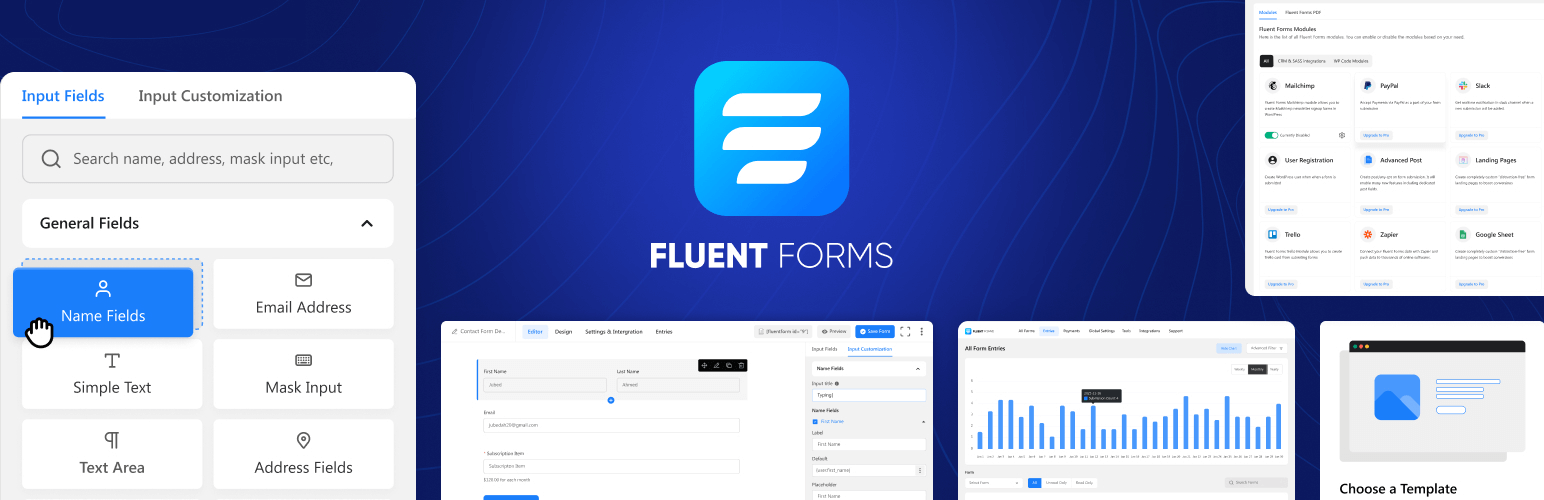
Fluent Forms is highly customizable contact form builder that is not only lightweight but also beginner-friendly. This is also another Freemium plugin but offers more on the free plan than WPforms lite does. This plugin also has over 600K active installations and 4.8/5.0 rating from more than 650 users.
Whether you are creating a lead generation form or a calculator based element on the website, Fluent Forms can make it easy for you on the free plan. The intuitive and drag and drop builder simplifies form creation for non-tech users and reduces learning curve. If you are not a big fan of Contact Form 7 and seeking affordable WPforms alternatives, you may consider this one.
Remarkable Free Features of Fluent Forms
- Conversational Form: Create interactive conversation forms in the free plan, boost engagement and reduce abandonment rate.
- Pre-Built Templates: Users can use various templates available in free plan to quickly build their forms.
- Page Breaks/Multi-step Form: Fluent forms allows using page breaks to turn lengthy forms into multi-step engaging forms on the free plan.
- Payment Integrations: Accept payments securely via Stripe.
- Form Migration: You can migrate other forms build on other plugins to Fluent Forms in the free plan.
- Export Responses: Export your form responses in CSV/Excel/JSON formats.
Comparison with WPforms Lite
| Comparison Aspect | Fluent Forms | WPformsLite |
| Conversational Form | Yes | No |
| Payments | Stripe | No |
| Page Break | Yes | No |
| Data Export | Yes | No |
| AI Form Creation | Yes | No |
| Integrations | Yes | No |
Why use Fluent Forms over WPforms Lite?
- Feature-rich: Fluent Forms come with more features on the free plan, making it more ideal for starters.
- Data Access: Fluent Forms allow exporting data and viewing reports which gives more trust to free users unline WPforms lite which requires pro subscription to access data.
- Automation: Fluent Forms allow numerous automations on free plan making it automation friendly, saving time and effort of users.
6. Everest Forms

Everest forms is another multi-purpose, beginner-friendly and highly-rated WordPress form plugin that you can consider a good alternative to WPforms lite. It has more than 100K users on WordPress and a stunning 4.9/5.0 rating from 350+ users.
The plugin lets you access a number of form fields on the free plan, and lets them use the tool for various use-cases such as quiz, survey, feedback, payments etc. According the the readme file of the plugin, it is highly customizable and can be tailored to the specific need of users.
Remarkable Free Features of Everest Forms
- Form Fields: Everest forms come with a large number of form fields in the free plan, making form building convenient and multi-purpose with customization.
- Survey and Poll Creation: In free plan, Everest forms offer survey and poll creation feature using various likart and rating scale fields.
- Entry Management & Storage: You can view submissions, manage entry, edit and delete responses from backend.
- Spam Protection: Secure your form from spam and bot submissions using strong security features powered by Honeypot or Akismet integration.
- Template Library: Choose from a collection of templates to quickly build your form, customize as per your need.
Comparison with WPforms Lite
| Comparison Aspect | Everest Forms | WPformsLite |
| Form Fields | 25+ fields | Basic fields |
| Responses | Display with Manage and Delete options | Not Available, only sent via Email |
| Layout | Multi-column Layout | Single column layout in Free version |
| Data Export | Yes | No |
| Form Migration | Yes | No |
| Integrations | Yes (including GA4 tracking) | No |
Why use Everest Forms over WPforms Lite?
- Lightweight: Beginner-friendly and easy to use.
- Multipurpose: Create various forms using dynamic features available in the free plan.
- Advanced: The free plan is highly advanced for WordPress. You can also unlock more pro plans with LTD deals.
Which WPForms Alternative Should You Choose?
WPforms is undoubtedly one of the best WordPress form plugins till date. The premium tools offer everything users need to enhance their website form experience. However, the free version is not as advanced as it is challenged by many other free form plugin available in the marketplace. The decision is still yours to choose but we have tried to show you various options so that you can make educated decision.
Choose FormGent
If you need a feature-rich free form builder, powered by AI and that is only getting stronger in the coming days. You can upgrade to pro anytime with annual plans and lifetime deals.
Choose Forminator
If you need a popular tool that comes with many advanced features and affordable on upgradation as well.
Choose Contact Form 7
If you can write code or love to make customization from HTML editor. It is the most popular and trusted tool for developers.
Choose Fluent Forms
If you want to access maximum perks on free plan. But the premium subscription can be costly.
Choose Everest Forms
If you want to try something new. Build multi-purpose forms with it but check premium plan fees as well because upgradation can be costly.
Summing Up: WPForms vs. Alternatives
According to HubSpot, businesses that utilize AI-powered form automation can experience up to a 30% increase in conversions. This indicates that FormGent’s AI form creation have the potential to build killer forms and enhance your website’s performance significantly.
Research from Marketing Land reveals that advanced form solutions can reduce form abandonment rates by 25%. With FormGent’s conversational form feature, you can keep more visitors engaged and effectively minimize drop-offs.
Overall, if you are just getting started, FormGent is the best option you can go with.
Final Remarks
We’ve reviewed the top 5 WPForms alternatives, each offering unique benefits for different needs.
FormGent stands out with its all advanced features and integrations on the free plan, making it a top choice for various website owners. Meanwhile, leading plugins like Forminator, Contact Form 7, Fluent Forms or Everest Forms also offer undeniable advantages, from ease of use to deep customization. We recommend trying the free versions of these alternatives before making purchase decisions to find the best option for your website.
So, which WPForms alternative are you considering? Share your thoughts in the comments!
FAQ – WPForms Alternatives for WordPress
1. Which WPForms alternative is best for lead generation forms?
FormGent is the most advanced free form builder, offering smart templates and highly functional fields to build tailored forms.
2. Are there WPForms alternatives entirely free?
We reviewed 5 plugins that you can choose alternate to WPforms and most of them has premium plans as well. However, the free plans are also strong enough to serve your various purposes.
3. What key features should I look for in a free WPForms alternative?
If you are choosing a free alternative, make sure to get access to your data, be able to export them and access useful form fields. With locks on basic fields and your form responses, you will feel crippled.
4. Is FormGent more expensive than WPForms?
No. FormGent offers a competitive pricing structure with a free plan and premium options starting at $49/year.
5. How can I learn more about FormGent?
To learn more about FormGent, visit our Features page and Documentations for product walkthrough.
6. Which of this WPForms alternatives is ideal for beginners?
FormGent is designed for beginners, offering a simple interface with a live preview builder that makes form creation quick and easy.



Leave a Reply
You must be logged in to post a comment.