

Best WordPress Theme for LMS: Our Top Picks in 2025
Creating an online learning platform with WordPress sounds exciting, but choosing the wrong theme can lead to frustrating challenges.
Slow load times, poor user experience, and lack of essential LMS features can make your platform less effective. If your theme doesn’t support quizzes, student progress tracking, or mobile learning, your courses may fail to engage learners.
The good news?
The right LMS theme can transform your website into a smooth and engaging learning hub. It ensures fast performance, seamless integration with LMS plugins, and a user-friendly experience for both instructors and students.
In this post, we’ll explore what makes a great LMS theme, recommend the best WordPress themes for online courses, and provide tips for selecting the perfect fit. Let’s dive in!
What to Look for in The Best WordPress Theme for LMS

You need to be thoughtful enough while selecting the best WordPress theme for LMS your WordPress-based eLearning website because it will decide how long you will stay in the market with your WordPress website. We’re going to demonstrate the key factors while selecting an LMS theme in the following.
i. Mobile-friendly design
A good LMS theme must work well on all devices, including phones and tablets. Many learners access courses on mobile devices, so the theme should adjust to different screen sizes. A mobile-friendly design improves the user experience and keeps students engaged, no matter what device they use.
” Nearly 70% of students prefer course materials that are accessible on mobile devices. ” – Vorecol
ii. Seamless integration with LMS plugins
Most WordPress LMS themes work with plugins like LearnDash, Tutor LMS, or LifterLMS. The theme should support these WordPress plugins without any issues. This ensures that courses, quizzes, and lessons function properly. A theme with built-in LMS support saves time and makes setup easier.
Students should be able to move through courses easily. A good LMS theme offers clear menus, breadcrumb navigation, and search options. It should also have a structured course layout that helps learners find their lessons quickly. If navigation is confusing, students may lose interest in learning.
iv. Customization options
A theme with flexible customization allows you to design the LMS to match your brand. It should let you change colors, fonts, layouts, and buttons without coding. Some themes come with drag-and-drop builders, making customization even easier. A well-designed course platform attracts more students and enhances learning.
v. Performance and speed optimization
Fast-loading themes provide a better experience for students. A slow website can frustrate users and increase drop-out rates. A good LMS theme should be lightweight and optimized for speed. It should also be compatible with caching plugins and content delivery networks (CDNs) to improve performance.
You can pick the best WordPress theme for your LMS and create a smooth learning experience for students by focusing on these features.
Best WordPress LMS Themes for eLearning Platforms
We’ve reviewed the best WordPress themes for LMS so that you can pick the suitable one based on your website’s characteristics.
1. Masterstudy

Masterstudy WordPress LMS theme can be the right choice for your website if you are interested in running online courses or local workshops. This theme comes with a wide range of features and functionalities as the development team behind this theme has done comprehensive research on the education and learning industry.
To offer users an outstanding eLearning experience, MasterStudy has been built to work perfectly with the MasterStudy LMS WordPress plugin. Whatsmore MasterStudy integrates with different types of services and tools to make your website user experience way faster than ever. This dynamic LMS theme is integrated with the Visual Composer plugin and generates pages with effortless drag-and-drop tools.
You have the option to incorporate the outlook of your website by using an unlimited number of skin colors and a mammoth collection of Google Fonts. Even this theme is fully responsive on any device, offering users a pleasing experience.
2. Eduma

Eduma is one of the best WordPress LMS themes that comes up with many features to make it a powerful companion for any LMS project. It’s a smart pick to create websites for eLearning platforms, educational insights, and websites for instructors. The theme helps you find the design for your website by offering 20+ website demos to give your website a fantastic look and feel.
Besides, It’s a fully coherent WordPress theme that works perfectly with Elementor page builder to make the website’s building process more manageable than ever. If you talk about eLearning functionality, we happily announce that Eduma seamlessly works with all the LMS plugins for WordPress.
This theme is recommended to use with the robust LearnPress plugin to get the best functionality. You can integrate the popular Fancy Events plugin with Eduma, which can help publish your course-related events on your website effortlessly.
3. Guru

Guru can be a perfect choice if you want to enjoy the benefits of the advanced Sensei LMS plugin from WooThemes. Using Sensei, you can control the course content delivery that is helpful enough to design courses, lessons, and quizzes for users.
Besides, directly from your website’s dashboard, users can take course analytics, complete registration, and report. WooCommerce permits you to charge for access to courses. This theme offers a clean and professional look to your website so that you get the right environment to promote and deliver learning to the students online effectively.
You can enjoy a wide range of features using this dynamic theme, like one-click dummy data installation, a library of necessary shortcodes, mega menu functionality, and more. Furthermore, Guru is integrated with popular MailChimp and BuddyPress for email and social profiles, respectively.
4. BuddyBoss

If you dream of creating a learning website by utilizing the power of the LearnDash LMS plugin, then happily go for BuddyBoss. This theme is one of the viable options if you want to build a popular eLearning WordPress website, as it provides top-quality support for the LearnDash plugin.
BuddyBoss is a good choice when you want to develop a learners’ society by incorporating features like groups and forums to make your website more than a learning website. With BuddyBoss, you can take advantage of creating a dedicated app for your website, which you can submit to both App Store and Google Play Store. This feature allows learners to take full advantage of consuming courses differently.
Besides, the BuddyBoss mobile app provides in-app payment, real-time synchronization with your website, and push notifications. By using BuddyBoss, you can integrate your website with a vast amount of third-party add-ons.
5. EduKul
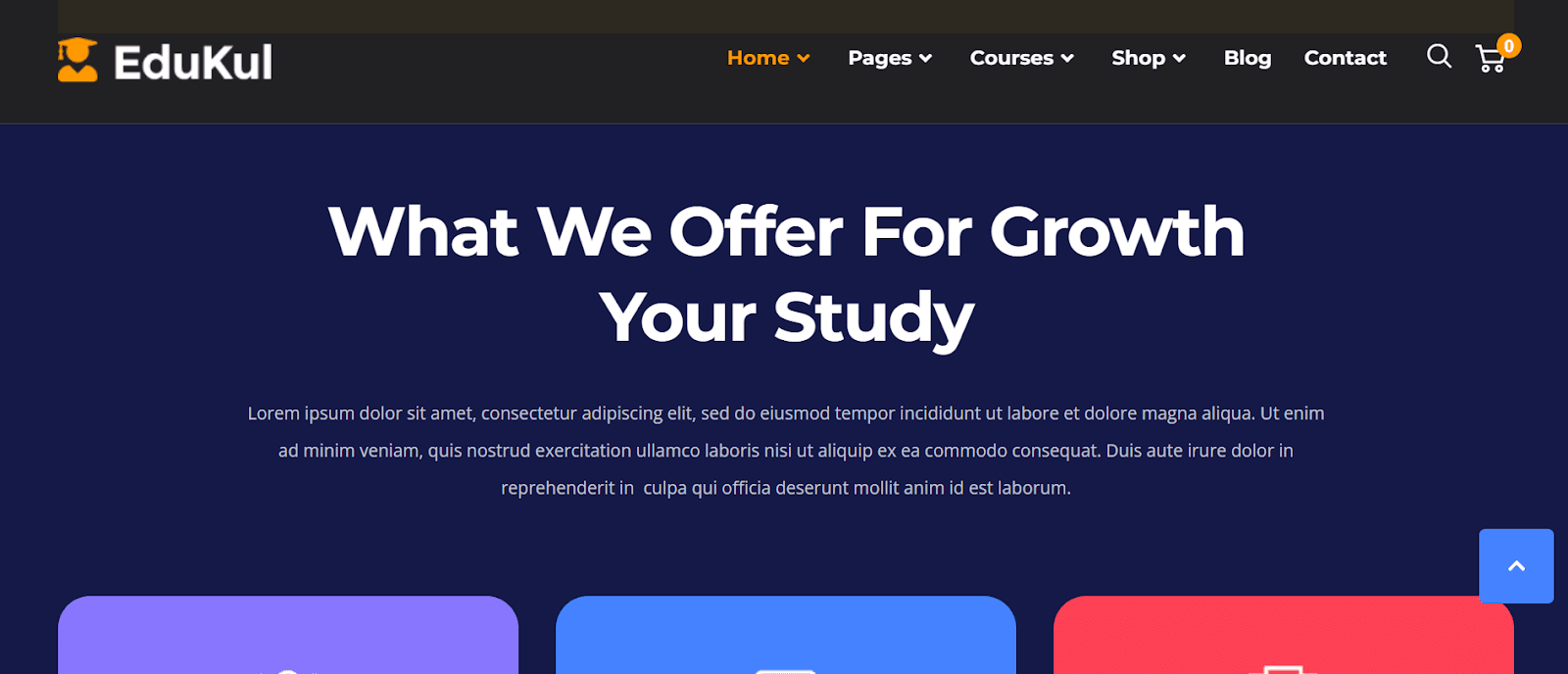
Edukul comes with an army of advanced features that help create online courses and lessons to educate more people. Using the WPBakery page builder, you can customize the appearance of your website based on your choice.
The advanced mega menu helps visitors explore your website effortlessly. Edukul is a fully responsive theme that works perfectly on all devices. Because of the drag-and-drop functionality, you don’t need to be tech-savvy to use Edukul. Besides, the theme setup is so easy that it takes only a few minutes to set up the theme.
Other significant features include a boxed and wide layout for the website, an advanced front-end admin panel, a video background, and more. You have the option to add quizzes for courses and evaluate them to engage students more on your website.
6. WPLMS

If you want a WordPress LMS theme with robust functionalities and a fantastic appearance, go for WPLMS. With this theme, you can effortlessly create and edit online courses from the front end of your website.
This functionality is beneficial in providing an amazing user experience for the users. The Instructor dashboard allows specific users to submit courses, view quizzes, and get entry to see the course stats.
On top of that, this theme is integrated with the Premium slider that lets you show the content slider in full screen on your website’s homepage. That’s how you can display the best content on your website to convince more visitors. You can receive payments online as this theme integrates with WooCommerce plugin.
Tips for Choosing the Right LMS Theme for Your Needs

Choosing the right WordPress theme for your Learning Management System (LMS) is important. The theme you pick will affect how your courses look and function. A good theme makes learning easy and keeps students engaged. Below are five simple tips to help you find the best LMS theme for your needs.
i. Check LMS plugin compatibility
Before selecting a theme, make sure it works with popular LMS plugins like LearnDash, Tutor LMS, or LifterLMS. Some themes are built specifically for these plugins, ensuring better performance. If a theme does not support your chosen LMS plugin, you may face technical problems later. Always check compatibility before making a decision.
ii. Look for a clean and simple design
A clean and simple design helps students focus on learning. Avoid themes with too many animations or distractions. A well-structured layout with clear menus and easy-to-read fonts makes navigation easier. If your LMS theme is cluttered, students may struggle to find the content they need.
iii. Make sure it’s mobile-friendly
Many students use mobile devices to access courses. Your LMS theme should be fully responsive, meaning it should work well on desktops, tablets, and smartphones. Test the theme on different devices before buying. A mobile-friendly design ensures a better experience for all users, no matter what device they use.
iv. Look for customization options
A good LMS theme should allow you to customize colors, fonts, and layouts to match your brand. Some themes come with built-in page builders, making customization easier. If a theme is too rigid and does not let you make changes, it may not be the right choice for your LMS website.
v. Check for speed and performance
A slow website can frustrate students and make them leave. Choose a theme that is optimized for speed and does not have unnecessary code. A fast-loading LMS improves user experience and helps students stay engaged. Also, check if the theme supports caching plugins and CDNs for better performance.
Bring to a Close
Selecting a theme for LMS can be tricky with plenty of options. If you have ideas about the characteristics of an ideal WordPress LMS theme, it becomes easier to pick the appropriate one for your business. In this post, we have demonstrated the top popular WordPress themes for LMS for you.
We are hopeful that from now on, it will become easier to decide quickly about WordPress themes for LMS. Now, all that’s left to do is to pick the best WordPress theme for LMS for your eLearning platform, craft your website, and make it more engaging to users. What’s your WordPress LMS theme of choice? Let us know in the comment section below!
If you liked this post, don’t forget to subscribe to our blog so that we can notify you once any post is published. Finally, you can also follow wpWax on Facebook, Twitter, Instagram, Pinterest and LinkedIn for more exciting news, offers, and product updates.


Abdullah Al - Harun
Abdullah Al Harun is a technical content writer at wpWax and a digital marketing enthusiast. Apart from tech, he enjoys reading books on different aspects of communication, journalism, science, and arts. On his time off, you will find him playing cricket with his teammates.
Related Articles


2 Comments
Leave a Reply
You must be logged in to post a comment.
Geneva
March 1, 2023 8:32 amInteresting blog! Is your theme custom made or did you download itt from somewhere?
A theme like yours with a few siimple tweeks ould really
make my blog shine. Please let me know where you got
your theme. Bless you
Gretchen
March 1, 2023 2:08 pmI’m not sure where you’re getting your information, but
god topic. I needs too spend some time learning more or
understanding more. Thanks for wonderful info I was looking for this info for
my mission.