

Best WordPress Team Members Plugins in 2025
Displaying team members’ profiles is an excellent strategy to build trust among your website visitors. It helps them better understand your website and drives them to explore more of it. Besides, an eye-catching team members list increases the authenticity of your organization because it proves the tangible existence of the organization.
Ultimately, visitors feel more engaged with your site, knowing the persons who work from behind. A team member list also increases your organization’s brand value. You may ask how?
Well. Suppose your team has members who are popular for their activities. In that case, it’s a strong point for your website to earn traffic because visitors will be curious how that particular person gets involved with your site, and it offers visitors a positive signal for your site.
For WordPress users, showcasing team members efficiently can be done easily with the help of a team members plugin. To make things easier for you, there are numbers of WordPress plugins available in the marketplace. They can help you make your website’s team members list more dynamic and gorgeous. In this tutorial, I will be showing some of the finest WordPress team members plugins.
So, why wait? Let’s get going!
Best WordPress Team Members Plugins
Having an in-depth idea on the top team members plugins for WordPress can help you pick the perfect one for your team. I have done my analysis on feature comparison and wrote them in short to help you decide which one to use for your team showcase. The list consists top 7 that I have found up and running. Here’s the list of top 8 team member showcase plugins you should be considering for your website.
- Team Members
- Team Member
- SmartTeam
- ARMember by Repute Infosystems
- Team Showcase
- AWSM Team
- Team Builder Member Showcase
This is why I am going to display the list of the finest team members plugins that you use on your WordPress website.
1. Team Members by WP Darko

Whether you search for a dynamic plugin that offers a different vibe in listing your team members’ profile, then happily go for ‘Team Members.’ This plugin provides you the option to add a specialized ‘team’ section to the admin panel. Thus, you can easily display the profiles of your employees, staff, people on your site in a structured way.
Besides, the plugin offers different functionalities like adding new team members with their pictures, designations, bios, social links. If necessary, you can reorder them at any time. Moreover, the advanced shortcode option allows you to display employee profiles based on your choice.
Key features:
- Compatible with PHP 8
- Option to add ‘Team’ section
- Option to reorder profile info
- Hover photo facility (Pro)
- Show/hide members from a team (Pro)
- Add more social links (Pro)
- Priority support facility (Pro)
Active Installations: 30,000+
Rating: 4.2 / 5.0 (53 reviews)
Pro Pricing: Starting from $19/year for a single site.
2. Team Member by wpmart
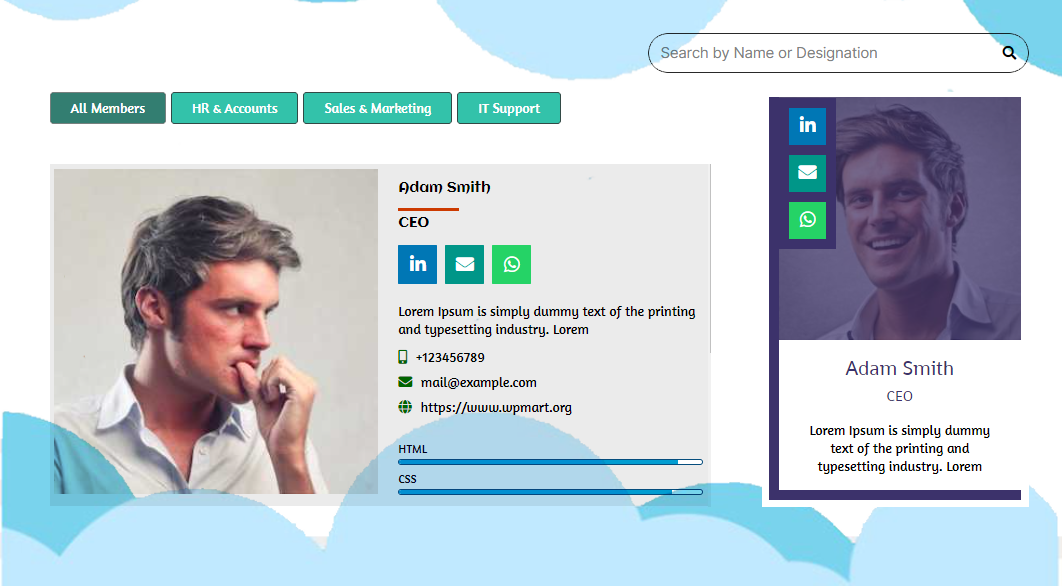
‘Team Member’ is a dynamic plugin offering numerous opportunities for you. The accessible customization facility of this lightweight team members plugin helps you organize different types of pages like the team, support, contacts, staff, or the about us page. The plugin is fully responsive and mobile-friendly providing you a fantastic experience of using team members plugin.
Besides, the plugin is full of unique features and functionalities. You can add an owl carousel-type grid slider that contains your team members’ names, designation, descriptions, and unlimited custom links with social media. Moreover, the plugin’s library garnishes innumerable templates, and you can pick any of them.
Key features:
- Multi-language supported
- Personal Web URL (Custom field)
- 35+ Social Link icon
- Live preview option
- Popup Profile Details
- Touch-enable feature
- Numerous customization options (Pro)
- 37 ready-made templates (Pro)
Active Installations: 8,000+
Rating: 4.9 / 5.0 (75 reviews)
Pro Pricing: Starting from $26.99/year for a single site.
3. SmartTeam (formerly WP Team) by ShapedPlugin

‘SmartTeam’ formerly known as WP Team can be a fantastic tool to create and manage your team members’ profiles. It has made itself unique for exceptional designs and numerous options. Within just a few minutes, you can easily and quickly add a charming team member section on your WordPress site. The plugin is user-friendly enough, so you needn’t be a programmer or hire a developer to operate this plugin.
The free version offers three unique layouts presets and some fascinating style options. Although the core purpose of this plugin is to display members and staff, you can happily use the plugin to show content with images and text. Moreover, you have the option to control the total number of teams and members.
Key features:
- Carousel/Grid/List view
- Image zoom in/out effect
- Option to add margin or space between members
- Ajax live filtering facility (Pro)
- Extra photo gallery for individual member (Pro)
- Multilingual ready (Pro)
Active Installations: 5,000+
Rating: 4.7 / 5.0 (92 reviews)
Pro Pricing: Starting from $49/year for a single site.
4. ARMember by Repute Infosystems
ARMember is another feature-rich WordPress membership plugin for creating member directories and public profiles. This plugin lets you create and sell an unlimited number of membership plans with advanced content protection. It’s built-in drag and drop form builder lets you create custom member directories which makes it an incredibly flexible tool to showcase your team members.
Besides, this membership plugin offers many of gamification elements such as skill badges, points, achievements and ranks to highlight specific team member’s expertise. Best of all, ARMember Social Community feature allows your team to communicate on-site using private messaging and interactive news feed.
Key features:
- Frontend member directory (grid / list layout display)
- Custom user profile fields (designation, bio, role, etc.)
- User role management for team grouping (departments / positions)
- Custom meta field option
- Seven different social links (Facebook, Twitter, LinkedIn, Instagram, Google SignIn, and more)
- Responsive member profile layouts
- Dynamic shortcode parameters
- Support for Gutenberg, Elementor, WPBakery and more
- Customizable member profile visibility (public/private control)
Active Installations: 50,000+ (According to official website)
Rating: 4.1 / 5.0 (35 reviews)
Pro Pricing: Starting from $79/year for a single site.
5. Team Showcase by PickPlugins
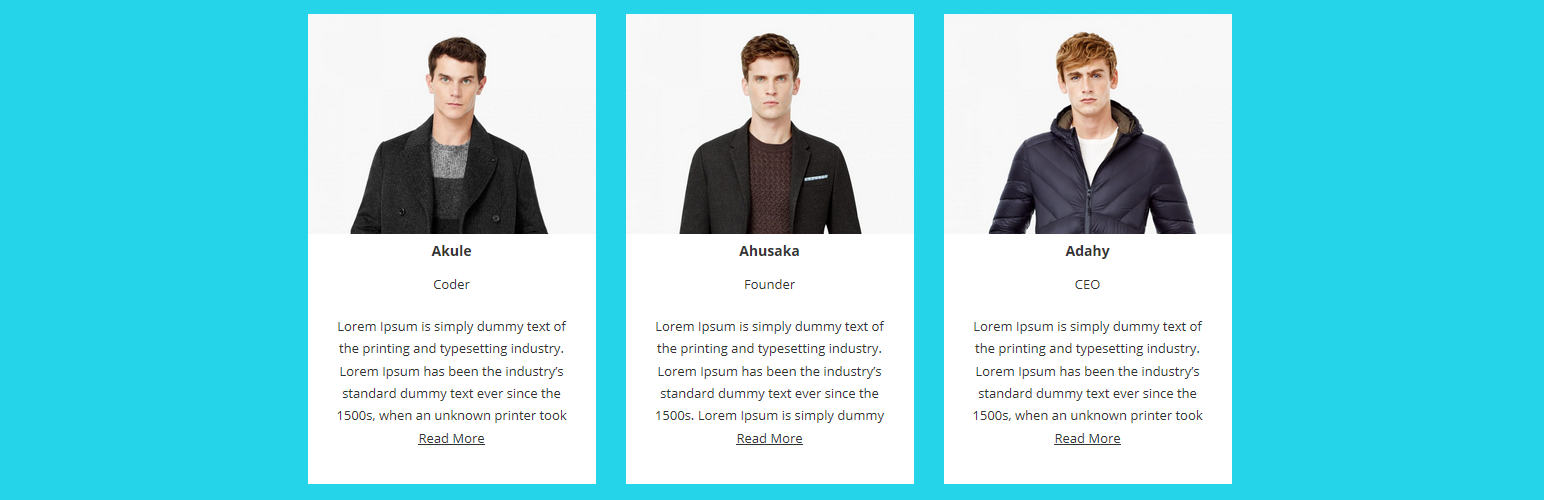
With ‘Team Showcase’, you can display your members’ profiles in your favorite posts or pages. You can effortlessly create a team list using a custom post. The drag and drop functionality to re-arrange the team members’ lists has made it unique from the other similar plugins. The advanced shortcode generator lets you display the list of your team members on any post or page.
The team members plugin also offers basic fundamental styling options to create your favorite layout using a layout builder effortlessly. Also, there is an option to display members’ profiles providing social links or contact phone numbers, Skype, etc.
Key features:
- Easily customizable plugin
- Layout editor to customize layouts
- Social and contact link for members
- Display skills using skill bar (Pro)
- Custom class for team members (Pro)
- Custom layout for popup box (Pro)
Active Installations: 2,000+
Rating: 4.0 / 5.0 (53 reviews)
Pro Pricing: Starting from $29/year for up to 3 sites.
6. AWSM Team by awsm.in

It is another versatile and lightweight plugin to create, manage and showcase your team members effectively. The free version comes with with 3 presets and a number of style options to create your team showcase quickly. Interestingly, the pro version has 8 presets offering more options to users.
The plugin is beginner-friendly meaning it does not require much technical skills to use it. Plus, the tool is compatible with all popular builders including Gutenberg, Elementor and WPBakery. The detailed documentation will be much helpful if you get stuck or run into an error.
Key features:
- Various presets each comes with styling options.
- Responsive and Touch Enabled
- Clean and minimal design
- Add custom CSS as per requirement
- Advanced preset including drawer (Pro)
Active Installations: 3,000+
Rating: 4.4 / 5.0 (5 reviews)
Pro Pricing: Starting from $29/year for a single site.
7. Team Builder Member Showcase by A WP Life
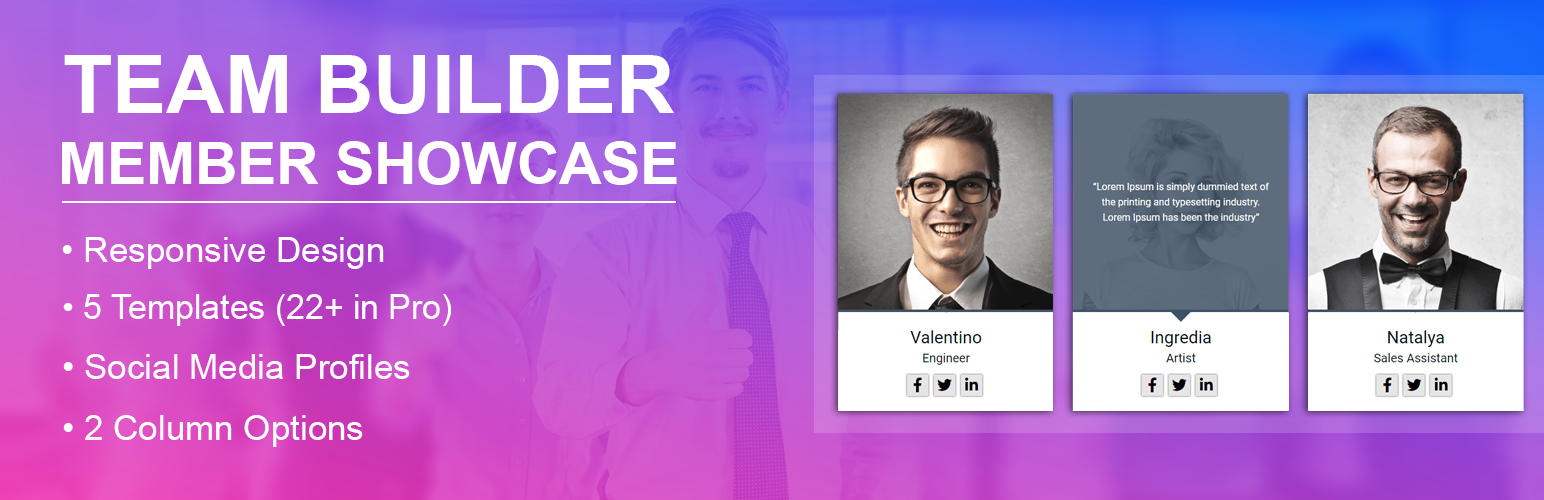
Team Builder Member Showcase is a dynamic and native builder based plugin for showcasing teams on your WordPress website. You can use it’s shortcodes to place various lists and team members information in places to showcase them efficiently.
The free version consists various styling and templates to choose from. You can get more templates when you upgrade to the pro plan. It is compatible with all popular browsers. Although there are not many reviews in WordPress to learn more about it’s user experience, the pro features look promising. You can use it if you are a native builder fan and want to get along quickly.
Key features:
- Latest Bootstrap 4.x Responsive Admin Dashboard
- 5 Team Template Design (Free, 22 on Pro)
- Fully responsive and mobile-friendly
- Multiple Columns Settings
- Dynamic Team Shortcode
- Social Media Profile Linking
- Owl Carousel Settings & Columns (Pro)
- Auto Play, Pause, On Hover, Control speed etc (Pro)
Active Installations: 2,000+
Rating: 3.8 / 5.0 (4 reviews)
Pro Pricing: Starting from $19/one-time for a single site.
Polishing Off
Right now, you have endless opportunities in front to display the list of your beloved team members and inform the world about the warriors you have in your team. That’s why team members plugins for WordPress come in handy. You can happily make your website trustworthy among visitors using any of the plugins discussed above.
By implementing the most suitable one for your website, you can effortlessly make your team members happy and make their bond even more substantial. Now, I would like to hear from you. Do you have any idea about more plugins that I should include in the list? Feel free to share your response in the comments section. I’m eagerly waiting for your feedback.
If you liked this post, don’t forget to subscribe to our blog so that we can notify you once any post is published. Finally, you can also follow wpWax on Facebook, Twitter, and LinkedIn for more exciting news, offers, and product updates.




Leave a Reply
You must be logged in to post a comment.