

Best Paint Calculator Plugins for WordPress & WooCommerce
Why guess when you can calculate?
Ever stood in a hardware store, staring at paint cans, clueless about how many you really need? One tin? Five? And then, what shade? The green that looks calm online suddenly screams neon on your wall. Messy. Stressful.
This is where online paint stores can step up by giving customers tools. Smart tools. Tools that calculate, estimate, and even preview colors. That’s where the best paint calculator plugins becomes useful. They turn confusions into clarity.
Today, we’re diving deep into the best plugins out there. Not boring theory. Real stuff. The ones that work. Paint Color Swatches, and WooCommerce Paint Calculator for Bulk Products. Each one does a different job. But together? They make an online paint store unstoppable.
Why Use a Paint Calculator Plugin?
Selling paint isn’t like selling T-shirts. Or coffee mugs. Or socks. No. Paint is trickier than those you can measure in units.
Customers need answers.
- How much paint covers their walls?
- Which primer goes first?
- Will that sky blue look soft or childish?
Without answers, they hesitate. They quit the cart. Or worse, they buy and then return it. Refunds. Complaints. One-star reviews. Nobody wants that.
A calculator plugin fills the gap. It takes raw numbers – area, colors, layers and turns them into a clear shopping path. Shoppers don’t feel lost. They feel guided. And guided customers? They buy more.
5 Best Paint Calculator Plugins for WordPress & WooCommerce
1. Paint Cost Estimator for WooCommerce – Area-Based Pricing

The Paint Cost Estimator for WooCommerce helps customers figure out the total cost based on the area they want to paint. Users have to input the area in square feet or meters, choose a paint type, and boom – the cost shows up. No complicated steps like most cost estimator plugins, Just pure calculation.
It’s a easy to use and flexible WooCommerce paint calculator plugin. Customers can estimate paint for their home, office, or even exterior walls. It feels like a guided shopping assistant. And since it’s responsive, it works on any device. Someone on their phone? Still works. Someone on a desktop? Even better.
What makes it special is the simplicity. Just input, estimate, and checkout. That’s how online shopping should feel.
2. Measurement Price Calculator for WooCommerce
Not every paint job is the same. Some customers purchase by the can. Some customers purchase by the area they need to paint. Some even need a custom volume based on an estimation. The Measurement Price Calculator for WooCommerce shines on the last case. It’s not limited to paint, it works for tiles, fabric, flooring, you name it. But for paint sellers? It’s like a gold standard WooCommerce plugin.
Customers input measurements like area, weight, volume and the calculator figures out the price. No store can survive long if customers feel unsure. This cost calculator plugin clears the fog.
The beauty is in flexibility. A gallon, a liter, per square foot – it adapts with all measurements. Stores that sell paints in mixed units love this because it handles all formats. You don’t have to tweak product pages manually. The plugin works.
3. WooCommerce Paint Calculator – Bulk Product Estimator

Here’s where it gets interesting. This plugin isn’t just about one product. It’s about many. This WooCommerce Paint Calculator – Bulk Products Estimator lets customers add multiple products at once.
Imagine you need primer, micro cement, and topcoat. Normally, you’d add them one by one which becomes a boring task. But with this cost calculator plugin, you enter your area, pick materials, select color, and it auto-loads all the right products into your cart in one go.
It’s like shopping with a checklist that fills itself. Customers save time. Store owners make bigger sales. Win-win. And the step-by-step process is clear: Area > Substrate > Layers > Color > Finish. Done. All the essentials, no confusion. It feels less like a plugin and more like a personal consultant.
4. Cost Calculator Builder by StylemixThemes

Now let’s talk style. The Cost Calculator Builder is one of those plugins you can bend to your will. It’s more than just a paint calculator. You can build estimation forms for almost anything; construction, repairs, services. But for paint? It’s smooth.
The plugin lets you create custom fields. Want sliders for wall size? Dropdowns for paint type? Checkboxes for finishes? All possible. Customers fill the form, see an instant cost, and then head to checkout.
The best part is it feels less like a form and more like a smart conversation. Shoppers don’t get lost. They follow the steps. And boom, they know exactly how much they’ll pay. Paint sellers who want flexibility love this one.
5. WooCommerce Paint Color Swatches
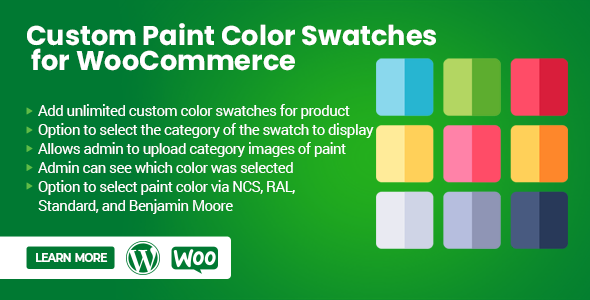
Let’s be honest. Numbers tell you how much. But colors decide which one. That’s where this plugin sneaks in like a hero.
It is all about visuals. Imagine you’re standing in front of a wall. You know you need three buckets. But the question burning in your head? Should it be soft ivory or deep forest green? This plugin makes that choice simple.
It turns boring dropdowns into bold, clickable swatches. Customers can see the actual shade. No guessing. No confusing codes. Just clean, colorful options right on the product page. Want a preview? It gives you one. A neat pop-up showing how the color would look on a wall. That little touch builds confidence.
It’s not only pretty. It’s smart too. Supports global color systems like RAL, NCS, Caparol, and even Benjamin Moore. And if you want custom swatches, you can add them easily. Categories, filters, images – everything stays smooth and responsive.
For store owners, it’s a silent salesman. Shoppers stay longer. They click. They try shades. They imagine their homes. And then? They buy. Because color matters.
Other Handy Features to Look For
Not all calculators are equal. Some are plain. Others are geniuses. When picking one, check for:
- Ease of use – Customers won’t waste time on confusing steps.
- Mobile-friendly – Most buyers shop on phones.
- Customization – Paint isn’t one-size-fits-all. Neither is a calculator.
- Integration with WooCommerce Color Swatches – Numbers plus visuals always convert better.
- Bulk product handling – Saves time, makes bigger sales.
Think of it like this. The right calculator is not just about selling paint. It’s about building trust. And trust makes people buy again.
Tips Before You Pick One
Don’t just grab the first plugin. Think.
- Audience first. DIY buyers? Please keep it simple. Contractors? Go bulk.
- Product type. Just wall paint? Estimator works. Full systems? Bulk plugin.
- Colors matter. If shades are a big deal, swatches are non-negotiable.
- Test responsiveness. Most buyers shop on phones. Your plugin must look neat there.
- Check compatibility. Ensure it works with your theme and WooCommerce version.
Smart choices now save headaches later.
Conclusion
Buying paint online used to be messy. Wrong math. Wrong colors. Wrong products. Customers hated it. Stores hated it more.
But with these tools? Whole new game.
- The Paint Cost Estimator keeps it simple. Fast budgets. Happy DIYers.
- The WooCommerce Color Swatches plugin brings life to colors. Real previews. Fewer doubts.
- The Bulk Products Estimator? A lifesaver for big jobs. Contractors love it.
Together, they make an online paint store feel professional, interactive, and trustworthy. Customers stop guessing. They start buying with confidence.
So the next time someone asks, “How much paint do I need?”—your store won’t just shrug. It will answer. Clearly. Instantly. With the right products, colors, and costs lined up, ready to go.
That’s the future of selling paint online. And it starts with the right plugin.




Leave a Reply
You must be logged in to post a comment.