

Contents
- WordPress Plugins requirement Analysis
- Essential WordPress Plugins Your Business Website Must Have
- 1. FormGent - Form Builder that Feels Like a Gift
- 2. Site Kit by Google
- 3. HelpGent - Powerful Communication Suite
- 4. Dokan - WooCommerce Multivendor Plugin
- 5. Rank Math - User-friendly SEO Plugin
- 6. ThumbPress - Image Management Plugin
- 7. AffiliatePress - Affiliate Marketing Plugin
- 8. FluentCRM - CRM within WordPress
- 9. BetterDocs - Documentation Management Plugin
- 10. Easy Digital Downloads - Digital Product Store Management
- 11. Logo Showcase Ultimate - Stylist Logo Display Plugin
- 12. Meta pixel for WordPress - Conversion Tracker Plugin
- 13. Legal Pages - Essential Legal Page Generator Plugin
- 14. JetPack - Site Speed Optimization Plugin
- 15. Post Grid, Slider & Carousel Ultimate - Post Enhancement Plugin
- 16. UpdraftPlus - WordPress Backup Plugin
- 17. OpinionCamp - Poll Creation Plugin
- Final Words
15+ Must Have WordPress Plugins to Grow Your Business
There are around 59,000+ plugins available on WordPress open-source marketplace. Users often get overwhelmed to find the right plugin for their website. However, among these plugins, some of them are essential WordPress plugins that your business websites must have for ultimate exposure and growth.
Most of the WordPress plugins are free to use, which helps businesses to have a try on its primary features and decide whether to proceed with its premium features or not. It may seem like a convenient option but ideally trying various plugins, choosing functionalities and then making decisions is not an easy task.
In most cases, small and medium businesses do not get the time to focus on such plugins as they spend most of their time scaling businesses and growing revenue. However, the task is not something they should neglect for long as the more improvement they make on their business website, the more they can gain trust from customers.
To help small and medium business owners make a quick and educated decision without going through the lengthy process of trying and testing hundreds of plugins, we have created a list of essential WordPress plugins that they need to grow their businesses. These plugins have various functionalities but all have one thing in common – they add value to your website.
Before jumping on the list, we need to study the requirements any websites have and how top WordPress plugins can resolve them.
WordPress Plugins requirement Analysis
Out of the box, WordPress is not as daunting as you think. Instead, it can be extensively customized with rich plugins and themes that benefit your website.
Plugins are great, thereby providing multiple options to the users. It puts them in a difficult spot as the users feel more confused about choosing the right plugin for their business. When you are facing the same situation, do not worry!
We have covered you up with the personal checklist that helps you choose must have WordPress plugins without much hassle.
i. Examine your needs

Every business has different requirements. Firstly, examine your site and look for the conditions that your website needs. Before looking for one, it is essential to know what exactly your site needs. It helps in better optimization results after the plugin installation. It saves your time and money.
ii. Free vs. Premium

Business owners might be aware that most top WordPress plugins are free. But, while indulging in the plugin search, many would get torn between free versus premium plugins. Let me explain to you clearly.
Go for the free plugins when you are looking for no monetary commitment right off. As per your needs, many free plugins can give what you expect. You can also update it frequently to enjoy the updated features. On the other hand, premium plugins have a lot of pulses. Premium plugins maintain compatibility with many new features and allow you to optimize the site.
iii. Testing the plugin

On the wrong environment, even the top WordPress plugins can slow down or break your website. This is why testing the plugin and its compatibility is a must to avoid future chaos. There are high chances that a WordPress plugin’s version standard may not meet your website’s requirements.
So, it is highly essential to test your plugin with your website beforehand. After testing, if the plugin adds value to your website, go for it without any second thought.
Essential WordPress Plugins Your Business Website Must Have
Choosing the right plugins is crucial for the speed, security, and other operations of the website. Luckily, some winners in your realm have figured out the must have WordPress plugins out of the irrelevant ones.
Now, it is your turn! Let us unveil the names, features, pricings of must have WordPress plugins that your business website needs.
1. FormGent – Form Builder that Feels Like a Gift

FormGent is an innovative, WordPress-native form builder designed for startups, marketers, and business owners who want to get more done quickly. With built-in AI, you can easily create anything from contact forms and surveys to payment forms and quizzes without having technical expertise.
But that’s just the beginning. FormGent goes the extra mile by helping you recover lost leads with saved incomplete submissions, live form previews, and built-in analytics so you can instantly see what’s working and what needs a tweak.
FormGent stands out with its AI-powered form-building capabilities, making it easy to create everything from simple contact forms to more complex quizzes and payment forms. The 20+ form fields can be used for various purposes, ensuring that your forms are tailored to your needs.
The user interface is a seamless, drag-and-drop builder integrated directly into WordPress native builder, offering a completely code-free experience. With live previews and built-in analytics, you can fine-tune your forms in real-time, making adjustments to optimize performance as you go.
One of the major advantages of FormGent is that it doesn’t require a paid upgrade to create advanced fields based forms, unlike many other form plugins. The entire process, from creation to customization, publishing to checking reports remains free, making it an excellent choice for users seeking powerful functionality without any costs.
Key features of FormGent
- AI-powered form creation
- Drag-and-drop builder
- Multi-step forms
- Conversational forms
- Real-time data integration
- Conditional logic
- Save incomplete form data
- Built-in analytics
- Customizable form layouts
- Spam protection & security
- Easy to publish without Embedding
- Shortcode support
- Advanced Integrations
2. Site Kit by Google

One of the must have WordPress plugins your business need to leverage the power of Google marketing platforms is Site Kit. The plugin is official from Google which is an unified tool for connecting all essential business tools of Google such as Google Analytics (GA4), Google Tag Manager, Google Search Console (GSC), PageSpeed Insights and Adsense.
Site Kit is not only one of the most essential WordPress plugins for marketers but also for individual business owners or managing partners. Having valueable insights and analytics on your business websites can help you make many decisions that will impact your future growth. However, generally installing all these Google platforms to your site is a complicated task.
Site Kit makes it easy for site owners to install and activate their data streams, containers and grant Google platforms access to your site without coding change or logging into your website hosting. All you need to do is authorize the google account and grant site kit with the access to read data from the platforms.
Key features of Site Kit
- Google Analytics Integration
- Search Console Integration
- Search Console Integration
- AdSense Integration
- PageSpeed Insights
- Google Tag Manager Integration
- Advanced Dashboard and Reporting
- Seamless Setup, no-coding skill required
- All-in-one dashboard
- Real-time and historical insights.
3. HelpGent – Powerful Communication Suite

HelpGent is a powerful all-in-one communication plugin designed to help WordPress users connect with their audience more effectively. Whether you’re a business owner, a service provider, or a content creator, HelpGent makes it easy to communicate through video, audio, text messages, and even screen recording with voiceovers.
What makes HelpGent stand out is its focus on boosting conversions. The plugin includes features like live chat, video funnels, and text and voice messaging to engage visitors and turn them into leads. This is another must have WordPress plugins that can enhance your website user experience.
If you’re looking for a complete communication solution built to grow your WordPress site and save time, HelpGent is definitely a plugin to consider.
Key features
- Instant live chat
- Video messaging
- Voice and text messaging
- Screen record with voice
- Customizable layouts
- User ratings encourage feedback
- Easy file upload
- Stay compliant with GDPR tools
- Effortless scheduling system
- Advanced AI-Chatbot (Upcoming)
Briefly, if you want to prioritize your customer experience, you need to add this must have WordPress plugin on your website.
4. Dokan – WooCommerce Multivendor Plugin

Dokan is a powerful, WordPress-based multivendor marketplace solution built for entrepreneurs, store owners, and businesses that want to create marketplaces like Amazon or eBay. It helps you launch and manage a full marketplace without complex custom development.
The plugin allows multiple vendors to sell from a single platform while managing their own stores, products, and orders from the frontend. It also brings AI-powered features such as AI assistance for vendors to generate product descriptions, improve content quality, and save time when adding or updating products.
Vendors get dedicated dashboards, simple product management, and clear earning reports. Store owners can manage commissions, approve vendors, control payouts, and monitor marketplace performance from one place. With deep WooCommerce integration, Dokan stands out by supporting physical and digital products, subscriptions, and different selling models and helping marketplaces scale without adding complexity.
Vendors can manage products, orders, and earnings through a clean, easy to use frontend dashboard. Marketplace owners control full settings and vendor activity. Advanced features like vendor subscriptions, product advertising, analytics, and AI-powered tools making it suitable for businesses of all sizes.
Key Features
- Frontend vendor dashboard
- Multi-vendor store management
- Commission-based earning system
- Vendor registration and approval
- AI-assisted product content creation
- Product and order management
- Vendor earnings and withdrawal system
- Marketplace analytics and reports
- Support for physical and digital products
- WooCommerce integration
- Flexible marketplace customization
- Secure payment and payout handling
- Scalable for growing marketplaces
When combined, these features provide a seamless experience for multi-vendor marketplace owners and stakeholders. It’s definitely a must have WordPress plugin to scale your e-commerce website.
5. Rank Math – User-friendly SEO Plugin

Rank Math is a modern, lightweight, free, yet powerful WordPress SEO plugin. It is the first-ever WordPress SEO plugin that uses AI to write SEO-optimized content for your websites. And, this is simply an out-of-the-box feature that you cannot find in any other SEO plugins in the market.
Added on, the plugin features a setup wizard that allows the users to import data from other SEO plugins while setting up. This is really a fantastic opportunity for the users to manage everything accordingly.
The integration with the Google Search Console helps you out with the desire to get the important information about your website right inside WordPress. The information includes the keywords you are ranking higher on search results, errors on your site, search impressions on your website, the reasons why your keywords aren’t ranking, etc.
Another important feature that Rank Math can boast of is the room to optimize the unlimited keywords at a time inside your WordPress site. By default, you can optimize 5 keywords, and using a filter, you can bring unlimited keywords under optimization.
Rank Math also comes with a host of amazing features including internal link suggestions, a built-in 404 error monitor, LSI keyword tool integration, Google analytics integration, Google Schema Markup, local business SEO, XML Sitemaps, SEO Optimized Breadcrumbs, etc.
Key Features
- 1-click import from Yoast
- Clean, & Simple user interface
- Auto canonical URLs
- ACF Support
- AMP Ready
- Social Media Optimization
- Automatic Twitter Meta Cards
- 30 Detailed SEO Tests
- Automated Image SEO
- Control SEO for single pages
- Control Title and Meta descriptions
Finally, Rank Math is a must have WordPress plugin if you want to improve the SEO in your WordPress website. So, don’t wait, just give it a try.
6. ThumbPress – Image Management Plugin

One of the most troublesome task for developers and webmasters is to manage thumbnails of images and videos on the website. Thumbnails not loading properly, oddly showing, getting unnecessarily stretched or cropped to ruin your website visuals – these are some of the common issues on WordPress websites. Many developers spend hours fixing image thumbnails which can be solved with the right plugin.
ThumbPress is one of the essential WordPress plugins you need to add on your website to resolve image related issued. The name of the product is self explanatory, it works with Thumbnails. With over 30 thousand active users on WordPress, it is a time-saving and one of the most useful WordPress plugins you can have.
The plugin is available in Freemium (Free+Premium) plans. With the free plan, you can do the followings:
Key Features of ThumPress
- Disable Thumbnail
- Regenrate Thumbnail
- Set Image Upload Limit
- Set Social Media Thumbnails
- Disable Right Click on Image
- Find Unused Images
- Detect Large Images
- Image Compression
- Convert Image to WebP
- Replace Images
- Edit Images in Editor
Overall, ThumbPress helps you to get rid of visual mess and chaotic thumbnail displays. This must have WordPress plugin can save your reputation and enhance your user experience.
7. AffiliatePress – Affiliate Marketing Plugin

AffiliatePress is one of the most reliable WordPress affiliate plugins, designed to help businesses launch, manage, and scale their own affiliate programs & increase sales. Furthermore, you can also track and manage your affiliates, commissions and payouts directly from your WordPress dashboard.
Best of all, AffiliatePress comes with a robust set of powerful features such real time tracking, multiple smart commission structures alongside smooth one click setup with the free integration of WooCommerce and 23+ popular plugins.
Key features of AffiliatePress
- Easy affiliate registration & management
- Smart setup wizard
- One click & automated payouts
- Support a 5+ commission structure
- Real time commission tracking & reporting
- Integrate with 24+ WordPress plugins
- In built smart fraud detection
- Performance bonus to affiliates
- Support unlimited creatives like links, images, text
- Refund protection feature
- Easy one click migration
- Custom email notifications support
If you are looking for a complete affiliate management solution to boost your sales and brand awareness, AffiliatePress is definitely a plugin to consider.
8. FluentCRM – CRM within WordPress

Email marketing automation is a vital component of business website’s promotional activities. You can do it using any 3rd party advanced automation tool. But if you are a WordPress user, you can get your entire self hosted email marketing automation in FluentCRM.
We are considering it as an essential WordPress plugins as it can streamline automated email delivery, season campaign launching, newsletter distribution as well as keeping your audience segmented within your WordPress website. Without needing to leave the dashboard, you can manage all activities on FluentCRM.
Like other top WordPress plugins, FluentCRM also come with Free and Pro features. A comprehensive list of FluentCRM features are as below:
Key Features of FluentCRM
- Storing Form submissions, support tickets, appointment
- Import Contacts
- Segmentation based on tags and lists
- Create and customize email templates
- Include product blocks in email (using WooCommerce)
- Schedule email campaigns and UTM tracking
- Export Contacts
- Dynamic Segmentation
- Advanced Filtering
- Import/Export Email templates
- Conditional section in email
- Recurring campaigns and A/B testing in subjects
- 10 built-in automation templates
- Advanced reporting
FluentCRM not only helps you to comfortably manage your email marketing activities within WordPress but also offering all the robust solutions you possibly need, making it a must have WordPress plugin for your website.
9. BetterDocs – Documentation Management Plugin

Documentation is one of the most crucial section that every business website with online product or service must have. It helps your users navigate through your product and understand the features in details. While displaying documentations are essential, they are not as easy as putting static pages with texts.
One of the most useful WordPress plugins for managing documentations on your website is BetterDocs. This is an AI-powered Documentation, FAQ & Knowledge Base management plugin that works efficiently with both Elementor and Gutenberg editor. With over 40 thousand active user base, BetterDocs is reducing support issues with catered documentations making users educated on the go.
Like most must have WordPress plugins, BetterDocs also has Freemium pricing plan where basic features can availed for free but to avail the advanced features, users need to purchase a premium plan. Here’s a small list of key features BetterDocs offer on its’ free and premium plans.
Key Features of BetterDocs
- Ready templates of documentation or FAQs
- Table of Content (TOC)
- Customize Single Doc, Sidebar and Archive Page
- Advances Search Bar
- User role management
- Integrate with WPML for multilingual documentations
- Import/Export CSV or XML files
- Supports shortcode placement
- Drag and Drop Builder
- Extra 2 Layouts for Doc and Single Page
- Instant Answer
- Manage Multiple Knowledge Base
- In-built Analytics and Visual Report
In Short, managing documentations become a piece of cake when you choose to use essential WordPress plugins like BetterDocs.
10. Easy Digital Downloads – Digital Product Store Management

If you run a subscription based or digital product business, the most useful WordPress plugins you need is Easy Digital Downloads and WooCommerce.
Having said that, Easy Digital Downloads (EDD) is specialized in digital products such as softwares, plugins and themes, gift cards and online vouchers etc. Trusted by over 40 thousand digital e-commerce businesses, it is a go-to plugin on WordPress for managing every subscriptions easily.
Key Features of EDD
- Seamless integrations with various payment methods
- Advanced reporting of various data
- Unlimited product creation
- Responsive payment form
- File download protection
- Detailed customer management
- Refund and Dispute Handling
Easy Digital Downloads makes you manage subscriptions and selling with only a few clicks and seamless integrations.
11. Logo Showcase Ultimate – Stylist Logo Display Plugin

Displaying various logos on business website is a very basic requirement to gain visitor’s attention and earn their trust. For example, B2B businesses want to display logo of their clients or partners, B2C websites display logo of the brands they work with etc. Professionals display logo of the certificates or awards they have on their websites.
Logo Showcase Ultimate is one of the most useful WordPress plugins you can use to display various logos on your website with ease. It comes with different themes for your logo sliders to help you display the logo along with the title, tooltip, and URL of the websites.
The plugin is user-friendly and mobile responsive. You can insert the accessible shortcodes and display the logos with or without the border. You can also use any device to view your logo in a carousel/grid/or through sliders.
Key Features of Logo Showcase
- 24 Different themes for logo display
- Display logos through logo id, randomly, alphabetically, month, year, and older published.
- Visual composer addon
- Short description
- Logo border size and color change option
- Easy shortcode generator and insertion using TinyMCE button
- Ajax load for Grid
- Customizable columns for any devices
- Supports all modern browsers
Get this must have WordPress plugin if you want the logo showcase on your website attractive and noticeable.
12. Meta pixel for WordPress – Conversion Tracker Plugin

Meta Pixel is the conversion tracking tool of Facebook and other Meta platforms. It is a piece of code that is installed on website header and occasionally on body to track various events. If your website is build on WordPress, you can stop worrying about codes and simply integrate Meta Pixel to your site using the Meta Pixel for WordPress plugin.
This is another essential WordPress plugins that most business use instead of hardcoding the snippet on the website source code. If works smoothly once you grant it access to your Meta Business portfolio and related assets. With over 400 thousand users using it, this is one of the top WordPress plugins on the marketplace.
Key Features of Meta Pixel
- Setup your Meta Pixel with a few clicks, no coding required.
- Configure events using event setup tools.
- Connect, manage and disconnect assets from the plugin.
- Utilize the Conversion API to track server-side conversions.
13. Legal Pages – Essential Legal Page Generator Plugin

Legal Pages is a must-have WordPress plugin for anyone running a website. Whether you’re a blogger, business owner, or online store owner, your website needs legal pages to stay compliant with laws and regulations. This plugin makes it quick and easy to create important legal pages like Privacy Policy, Terms and Conditions, Disclaimer, Cookie Policy, and more, without needing a lawyer or writing anything from scratch.
With over 25+ ready-made templates, Legal Pages saves you time and effort. These templates are written in standard legal language and are customizable to fit your website’s needs. Just install the plugin, choose the pages you need, fill in a few site details, and your legal pages are ready to go. It’s that simple.
Legal Pages is especially useful for websites that need to meet legal requirements like GDPR, CCPA, and other privacy laws. The plugin is also fully compatible with any WordPress theme or plugin, making it a smooth addition to your existing setup. You don’t need to touch any code, it’s beginner-friendly and built to make your site safe and professional.
If you want to build trust with your users and avoid legal troubles, Legal Pages is the plugin for you. It’s fast, reliable, and made to help you stay compliant the easy way.
Key Features of Legal Pages
- 25+ ready made templates
- Easy one click template insertion
- WP Editor to edit and customize legal templates
- Option to add a new page template
- Ability to custom policy template
- Option to create unlimited pop-ups
- Customize and display cookie bar
- 4 different cookie bar layouts
Managing legal pages on your website can be a gruesome task and Legal Pages Pro does it effortless for your website. This must have WordPress plugin can be used by even non-commercial, non-profit websites.
14. JetPack – Site Speed Optimization Plugin

WordPress ecosystem is known for compromised security as often malware and bot attacks and can make the websites vulnerable. This is why you need to have advanced security and protection for your website. A security based must have WordPress plugin can shield your website from such attacks.
JetPack is one of the top WordPress plugins in security category that leaves your WordPress website safer and faster. Jetpack provides easy-to-use, comprehensive WordPress site security including auto real-time backups and easy restores, malware scans, and spam protection.
The Brute force attack protection helps you to protect your WordPress login page from attacks. Meaning you are almost worry-free from any kind of cyberattacks. Using JetPack Security, it’s much easier to keep a closer look at your site up/downtime and you can get an instant alert of any kind of changes by email.
Added on, the plugin allows you to automatically update other individual plugins right inside your WordPress site and it ensures the hassle-free maintenance and management of your site.
Besides, Jetpack Security has a swarm of features to make your WordPress website more interesting than your competitors and these features include Gallery and Slideshow tools, Subscriptions, Contact form, oEmbed Support, etc.
Key Features of Jetpack
- CDN (content delivery network) auto optimizes your images
- Unlimited, high-speed, ad-free video hosting
- The custom site search option
- Advanced site stats and analytics
- PayPal and Stripe compatibility
As a website owner, it’s your responsibility to leave your website in a safer hub. In this case, JetPack Security gets you covered.
15. Post Grid, Slider & Carousel Ultimate – Post Enhancement Plugin

Post Grid & Carousel Ultimate plugin displays your blogs in grids or carousels as you expect. It also helps in converting the readers into users. The presentation of your blogs will always bring an impact on your business. Knowing it well, the plugin comes with different layouts that help you create multiple grids for your blog presentation.
You can stop stressing over the appearance of your blogs on other devices. The plugin helps you to display perfectly on any device as it is mobile-friendly and 100 percent responsive. This is another must have WordPress plugins for enhancing visual appearance of your website.
Key Features of Post Grid
- Customizable columns
- 24 different themes for the grid and four different themes for the carousel and widget
- Display popular, featured, latest and old posts with category
- Excerpt length control
- Social share buttons
- Navigation arrows with customizable colors
- Dynamic Shortcodes created with few mouse clicks
- User-friendly and understandable plugin
16. UpdraftPlus – WordPress Backup Plugin

This plugin is actively installed on more than 3 million websites around the world being one of the most useful WordPress plugins in the world. What does it do?
UpdraftPlus is a backup and migration plugin that helps businesses backup their WordPress website to any preferred storage location and restore with a few clicks. It prevents data loss during website down issues, hosting or domain renewal hazards or malware attacks. The Free and Paid Plan comes with following features.
Key Features of UpdraftPlus
- Backup to Dropbox, Google Drive, Amazon S3 (or compatible), Rackspace Cloud etc.
- Backup to Microsoft OneDrive, Microsoft Azure, Google Cloud, Backblaze B2, SFTP, SCP, pCloud, WebDAV (Pro)
- Restore any WordPress website in just a few clicks.
- Easily migrate any WordPress website to another web host.
- Backup scheduling and manual backup.
- Automatic backups before updates. (Pro)
- Backup to more than one location for added protection. (Pro)
- Advanced reporting
17. OpinionCamp – Poll Creation Plugin
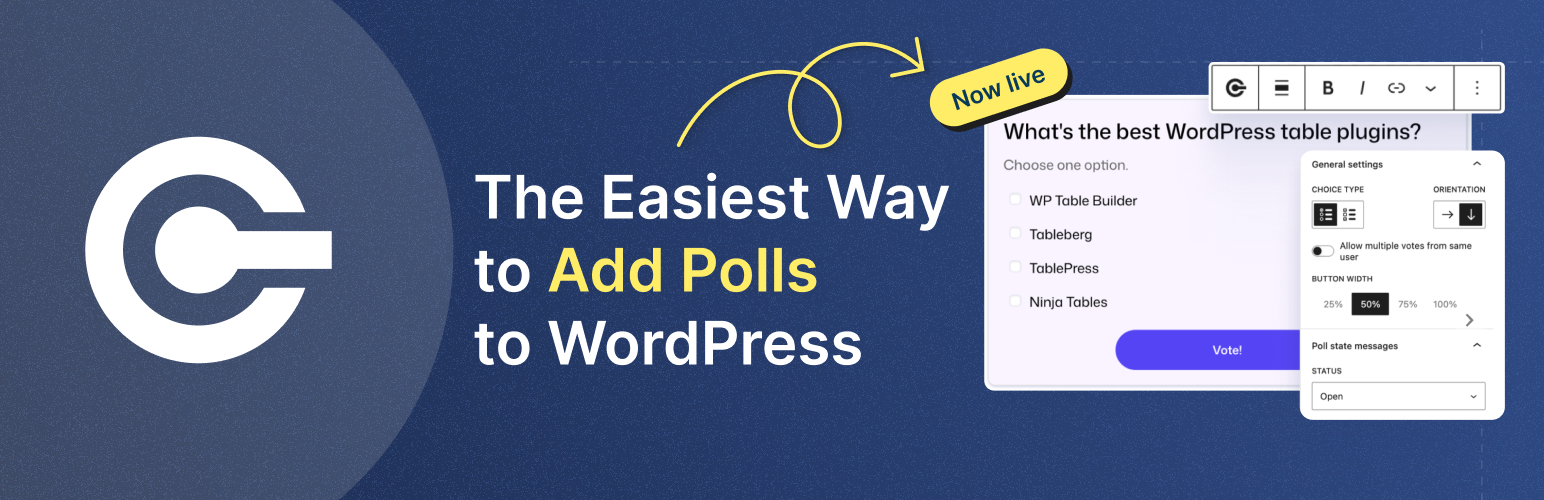
OpinionCamp is a lightweight, block-based WordPress plugin designed to help businesses collect real user opinions, feedback, and preferences directly from their websites. Instead of relying on guesswork, OpinionCamp lets you ask simple, targeted questions and instantly see what your visitors actually think.
Built specifically for the WordPress block editor (Gutenberg), OpinionCamp allows you to create clean, modern polls using a dedicated Poll block. You can add polls anywhere on your site – blog posts, landing pages, product pages, or documentation. Everything works natively inside the editor, making it easy for beginners and efficient for advanced users.
What makes OpinionCamp stand out among must-have WordPress plugins is its focus on performance and simplicity. The plugin is intentionally lightweight, ensuring your site stays fast while still adding interactive elements that boost engagement, time on page, and user participation. Visitors can vote and instantly see results, encouraging interaction and building trust through transparency.
OpinionCamp also includes a built-in results dashboard to track votes and basic analytics. This makes it especially useful for business owners, marketers, bloggers, and WooCommerce store owners who want quick insights into product preferences, content opinions, and customer expectations.
Key features of OpinionCamp
- Block-based Poll builder for Gutenberg
- Instant vote results for users
- Lightweight and performance-friendly
- Multiple styling and layout options
- Responsive design for all devices
- Built-in results dashboard and basic analytics
Final Words
It’s understandable that many would not want their website to be over-bloated with so many tools but some of them are must have WordPress plugins. Without them your website will not perform the way you want them to. We recommend you to analyze your need before clicking install on all top WordPress plugins.
Rest assured, the essential WordPress plugins for your business listed here will become useful for beginners and a well-established ones too. However, it is always necessary to go with the test flow and make changes accordingly. Choose the plugin that adds value to your site and a boost to your business.




Leave a Reply
You must be logged in to post a comment.