
Common Mistakes to Avoid While Translating a WordPress Website
Creating a multilingual WordPress website is one of the most effective ways to reach a global audience. Whether you run a blog, business website, online store, or portfolio, offering content in multiple languages can improve user experience, increase engagement, and expand your reach beyond language barriers.
However, translating a WordPress website involves much more than simply converting text from one language to another. A poorly translated website can confuse visitors, hurt SEO rankings, damage brand credibility, and reduce conversions.
Many website owners make avoidable mistakes during the translation process that lead to inconsistent content, poor user experience, and wasted resources. Fortunately, understanding these common mistakes can help you create a professional multilingual website that delivers value to visitors worldwide.
In this article, we’ll explore the most common mistakes to avoid while translating a WordPress website and discuss smarter approaches to managing multilingual content.
1. Relying Entirely on Manual Translation
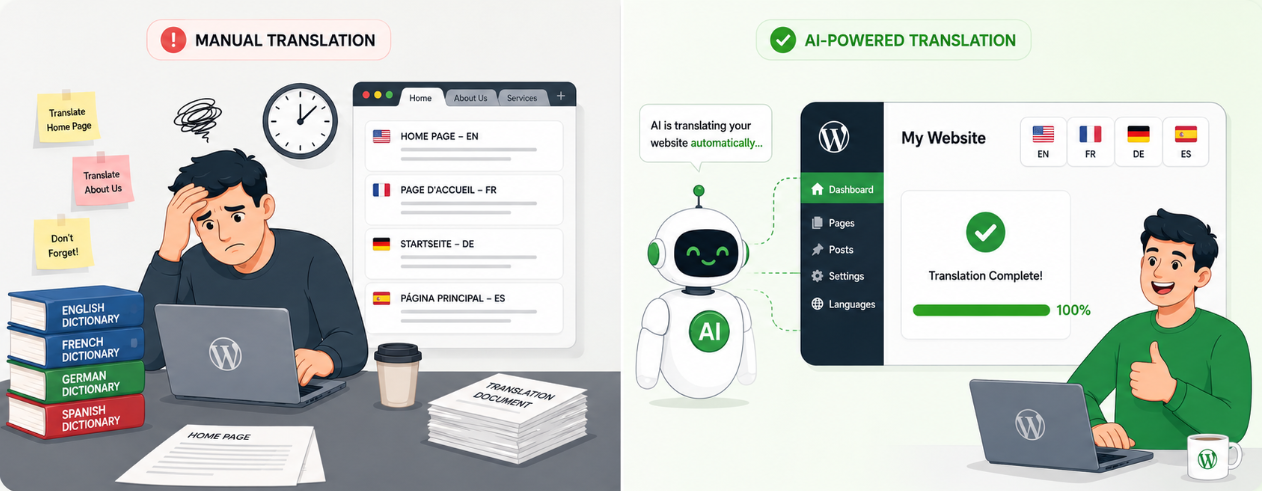
One of the biggest mistakes website owners make is depending solely on manual translation for every page, post, product, and website element.
While manual translation may seem like the most accurate option, it quickly becomes difficult to manage as your website grows.
Every new blog post, landing page, product description, form field, and update requires additional translation work.
For websites publishing content regularly, manual translation creates significant problems. Content updates become delayed, translation costs increase, and maintaining consistency across languages becomes challenging.
Today, AI-powered translation plugins provide a much more efficient solution. Instead of manually translating everything, website owners can automate the translation process and then review the output for quality and localization improvements.
This approach significantly reduces translation time while maintaining accuracy and consistency across the website.
Why AI Translation is Becoming the Preferred Choice
Modern AI translation tools can translate large volumes of content within minutes while preserving context better than traditional machine translation systems.
For WordPress users, several AI-powered translation addons by TranslateXYZ are specifically designed to work with popular multilingual plugins.
AutoPoly – AI Translation for Polylang
AutoPoly is an AI translation addon for Polylang that helps WordPress website owners create multilingual websites faster and more efficiently. It automatically translates posts, pages, custom post types, Elementor content, WooCommerce products, and other website content directly within the Polylang workflow.
By reducing the need for manual translations, AutoPoly saves time, improves content publishing speed, and helps businesses reach global audiences. It is an ideal solution for blogs, eCommerce stores, and content-rich websites looking to scale multilingual content effortlessly.
AutoTP – AI Translation for TranslatePress
AutoTP is an AI translation addon for TranslatePress that automates website translation while preserving TranslatePress’s intuitive visual editing experience. It enables users to automatically translate pages, posts, Elementor designs, WooCommerce products, and other website elements into multiple languages.
Website owners can quickly generate translations and visually review them for accuracy when needed. AutoTP helps businesses expand internationally, improve multilingual SEO, and reduce translation workloads, making it easier to manage and maintain a professional multilingual WordPress website.
AutoMLP – AI Translation for WPML
AutoMLP is a powerful AI translation addon for WPML that simplifies multilingual website management. It automatically translates WordPress posts, pages, custom content, Elementor layouts, and WooCommerce products into multiple languages.
By integrating directly with WPML, AutoMLP streamlines translation workflows, reduces manual effort, and accelerates content publishing. The addon helps maintain language consistency across websites while lowering translation costs. Whether you manage a business website, blog, or online store, AutoMLP makes global expansion easier through automated multilingual content creation.
LocoAI – AI Translation for Loco Translate
LocoAI is an AI translation addon for Loco Translate that automates the translation of WordPress theme and plugin strings. It helps website owners translate interface elements such as buttons, labels, notifications, menus, checkout messages, and plugin-generated text without manual effort.
By ensuring complete localization across both content and interface elements, LocoAI enhances user experience for international visitors. The addon eliminates repetitive translation tasks, improves website consistency, and helps create fully multilingual WordPress websites with greater efficiency and accuracy.
2. Ignoring SEO During Translation
Another common mistake is translating content without considering multilingual SEO.
Many website owners focus entirely on the translation itself while neglecting important SEO elements such as:
- Meta titles
- Meta descriptions
- URL slugs
- Image alt text
- Internal links
- Structured data
Simply translating page content is not enough. Search engines need optimized metadata for each language version to understand and rank your pages properly.
For example, a keyword that performs well in English may not be the keyword users search for in Spanish, French, or German. Translating keywords word-for-word often leads to poor search visibility.
Instead, perform keyword research for each target language and optimize translated pages accordingly.
A multilingual SEO strategy ensures your translated content can attract organic traffic rather than existing as invisible pages that few users discover.
3. Translating Content but Forgetting Forms and Interactive Elements
Many WordPress website owners successfully translate their pages and blog posts, but overlook interactive elements such as:
- Contact forms
- Registration forms
- Search forms
- Newsletter forms
- Surveys
- Checkout fields
This creates a confusing experience for visitors.
Imagine reading an entire website in your native language only to encounter an English contact form at the end. Many users abandon the process immediately.
Every user-facing element should be translated, including:
- Field labels
- Placeholders
- Validation messages
- Error notifications
- Confirmation messages
Consistent translation across forms significantly improves usability and increases conversion rates.
Website owners using Elementor, WooCommerce, and other page builders should ensure that dynamic content and form components are included in their translation workflow.
4. Failing to Maintain Consistent Terminology
Consistency is one of the most overlooked aspects of website translation.
Many businesses use different translations for the same word across various pages. This often happens when multiple translators work on the same website or when translations are performed over a long period.
For example:
- “Pricing” becomes “Rates” on one page.
- “Support” becomes “Help Desk” elsewhere.
- Product features receive different translations across categories.
These inconsistencies make websites appear unprofessional and can confuse visitors.
To avoid this problem:
- Create a translation glossary.
- Define preferred terminology.
- Maintain a style guide.
- Use translation memory when possible.
AI translation tools can also help improve consistency by applying similar terminology across large amounts of content.
The result is a more polished and trustworthy multilingual website.
5. Forgetting Theme and Plugin Strings
One of the most common localization mistakes involves untranslated theme and plugin strings.
Website owners often focus on translating content pages while forgetting interface elements such as:
- Navigation labels
- Cart messages
- Login forms
- Buttons
- Notifications
- Widget titles
- Plugin settings
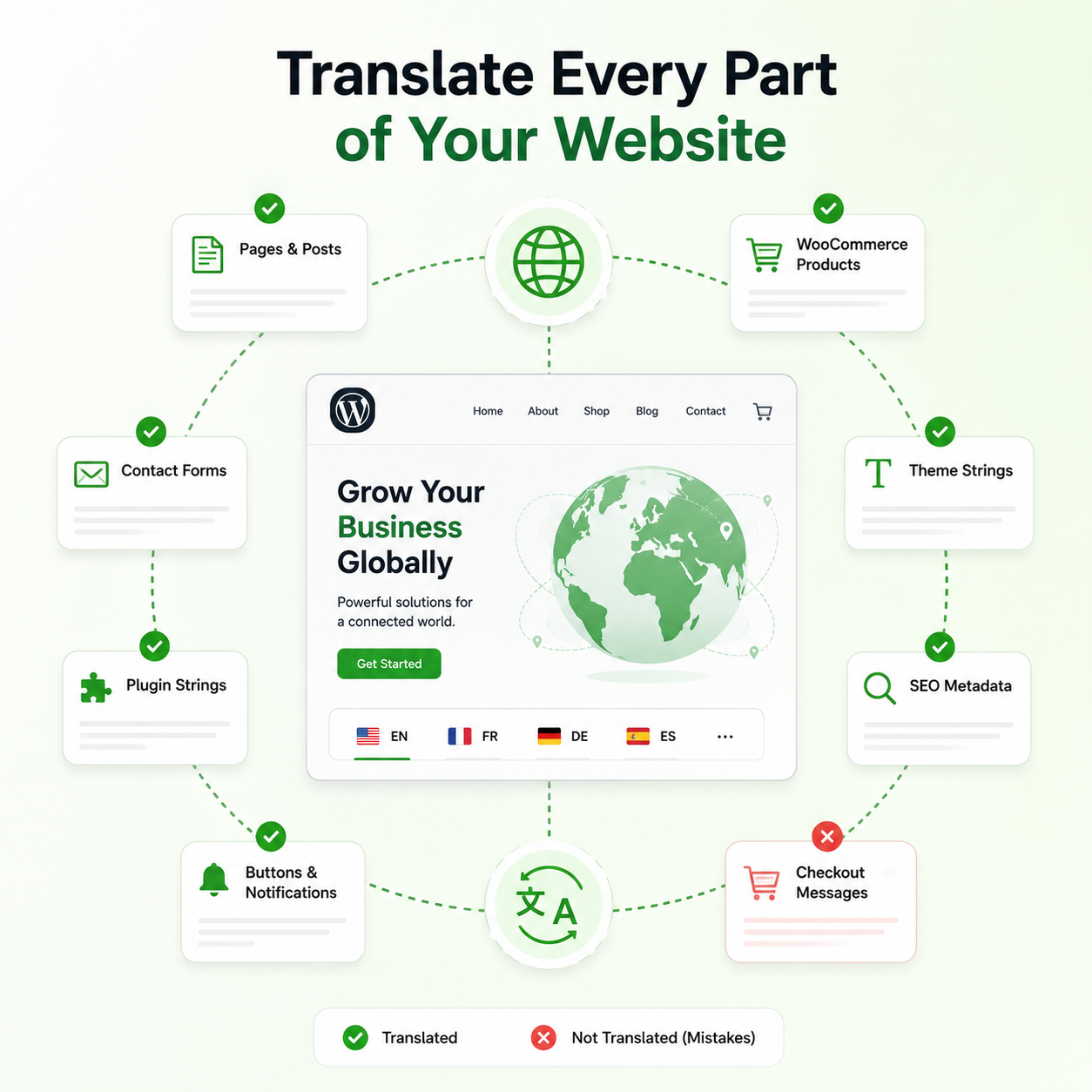
Even a few untranslated strings can make a website feel incomplete and reduce user confidence.
For WooCommerce stores, this issue is particularly problematic because customers interact with numerous system-generated messages throughout the purchasing process.
A complete translation strategy should include both content translation and WordPress Plugin & Theme Strings translation.
Tools like Loco Translate combined with AI-powered translation solutions make it much easier to identify and translate these hidden elements.
6. Neglecting Cultural Localization
Translation is not the same as localization.
Many website owners translate words correctly but fail to adapt content for local audiences.
Examples include:
- Date formats
- Currency formats
- Units of measurement
- Cultural references
- Images
- Promotions
- Payment methods
A campaign that works well in one country may be ineffective or even inappropriate in another.
Localization helps visitors feel that the content was created specifically for them rather than merely translated from another language.
When expanding into international markets, businesses should consider local expectations and cultural differences alongside language translation.
Conclusion
Translating a WordPress website can unlock new audiences, increase traffic, and improve conversions, but only when done correctly.
Avoiding common mistakes such as relying entirely on manual translation, ignoring multilingual SEO, forgetting forms and plugin strings, maintaining inconsistent terminology, and neglecting localization can significantly improve the quality of your multilingual website.
Modern AI-powered translation solutions have transformed the way website owners manage multilingual content. Instead of spending countless hours manually translating every page and website element, businesses can automate large portions of the process while retaining full control over quality and localization. Before choosing a solution, it’s also worth comparing AI Translation Addons Pricing to find an option that fits your budget while delivering the features you need for accurate and scalable multilingual website management.


Rezaul Karim
Rezaul Karim is a passionate Digital Marketer driven by curiosity and creativity in the ever-evolving world of online marketing. With over 6 years of hands-on experience in Content Writing, Copywriting, SEO, and Social Media Marketing, he brings a strategic edge to crafting content that engages and converts. Always eager to explore new trends and tools, Rezaul thrives on finding smarter ways to connect brands with their audiences. Outside of work, he enjoys diving into books or recharging in nature.

Leave a Reply
You must be logged in to post a comment.